(800) 930-7954
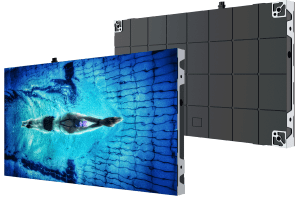
Communicate worship schedules and sermon messages while engaging your congregation with visual technology.
View More
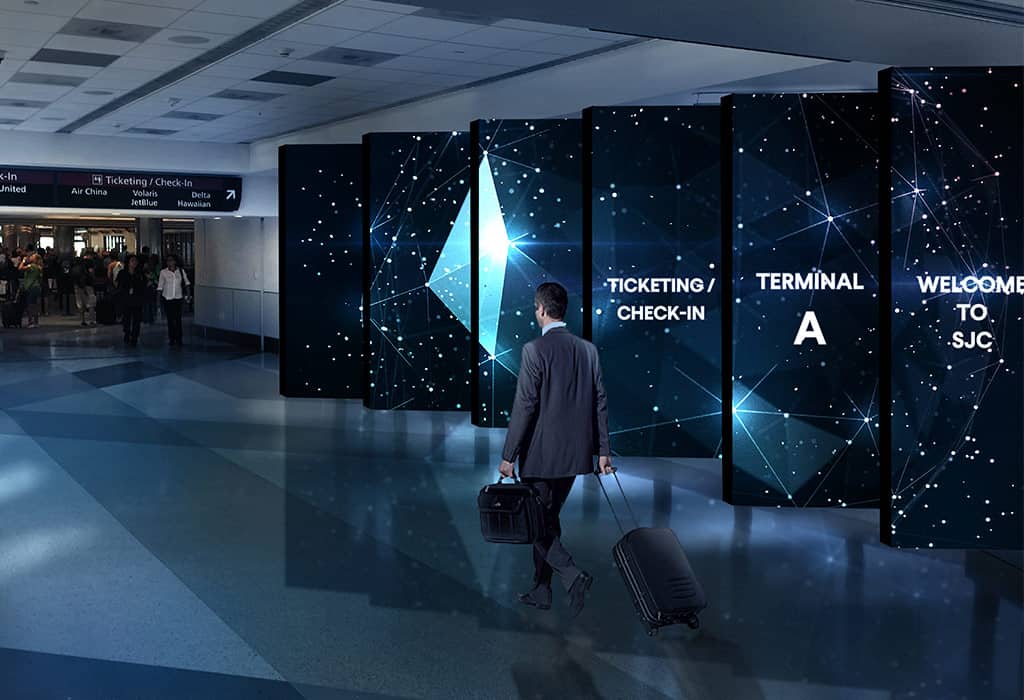
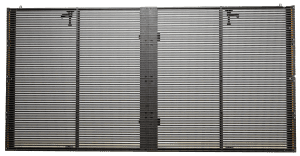
LED displays in transportation settings, such as airports, train stations, and bus terminals, serve as dynamic platforms for real-time information, advertising, and wayfinding, enhancing passenger experience with clear, up-to-date travel details and announcements.
View More
Differentiate yourself from the competition by incorporating a digital experience in your booth with our trade show LED displays.
View More
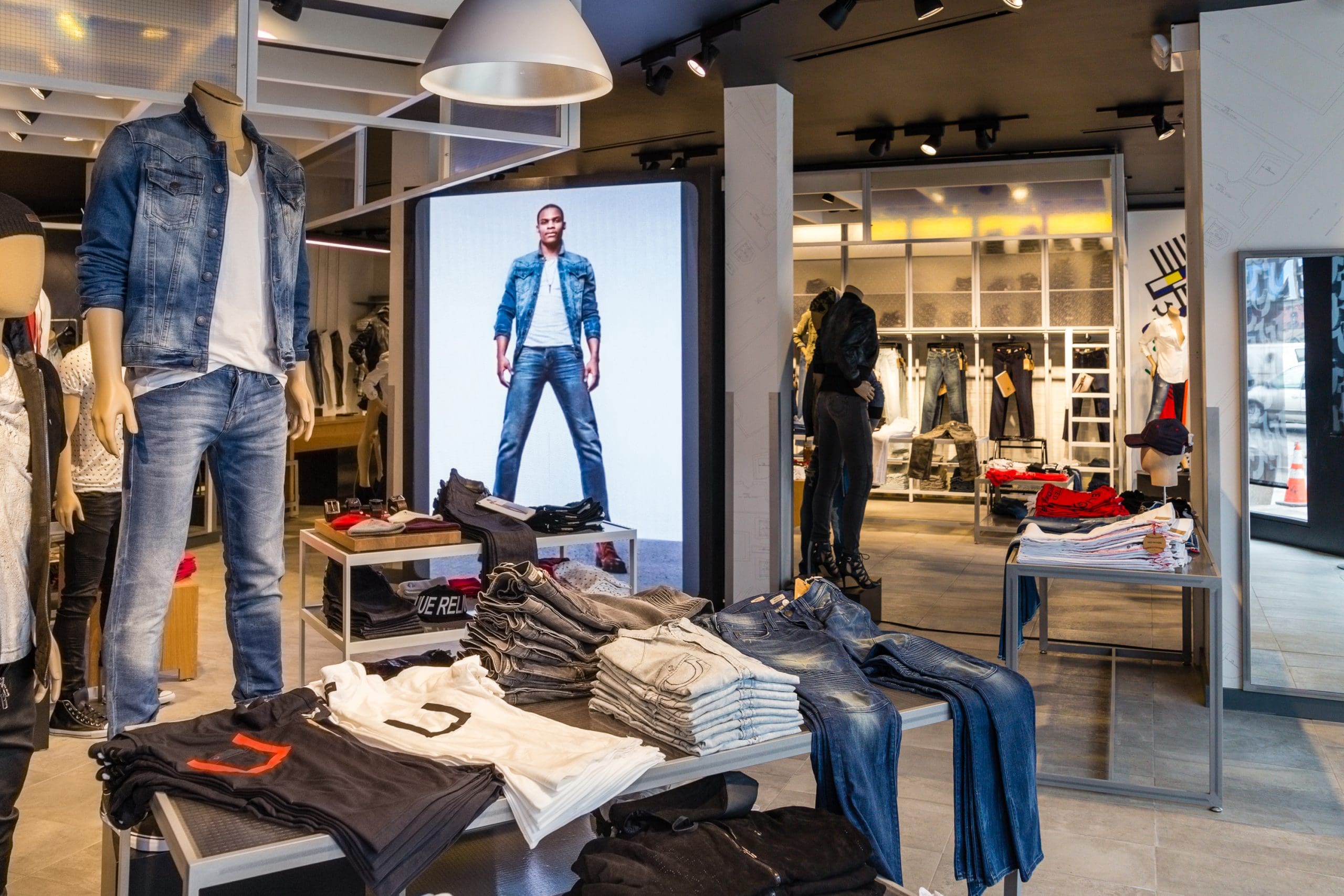
Communicate your brand’s message, stand out from the competition and engage your target market with LED digital signage.
View More
We offer creative solutions at cost-effective rates. You will be able to deliver your sermons more effectively and engage your congregation through one-of-a-kind lyric video walls and house of worship LED displays.
View More
Enhance ambiance, display interactive directories and wayfinding displays, and promote amenities and events to elevate the guest experience.
View More
Incorporate digital displays to enhance your students’ learning experience and market to prospective students and donors.
View More
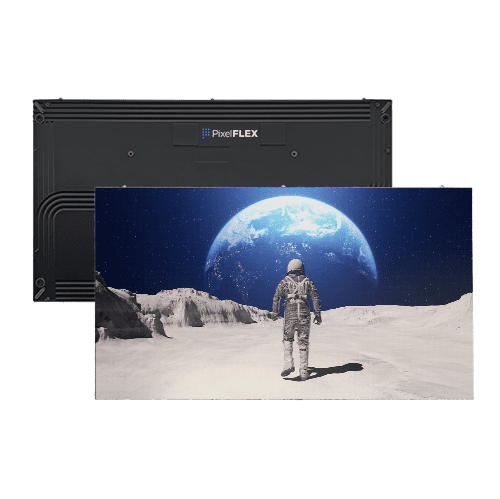
Transform your corporate spaces with PixelFLEX LED video displays. Enhance communication, elevate branding, and create dynamic environments.
View MoreThe right LED display size for a corporate lobby depends on the room’s proportions, the furthest realistic viewing distance, and the content the wall needs to show, not a single formula or a target square footage. Most lobby installations end up between 8 and 20 feet wide, but the room decides that number, not a chart or a rule of thumb.
Written by Isaiah Snyder, Operations Manager at PixelFLEX with 10+ years in the AV industry, 8+ years focused on DVLED specifically; started in surface-mounted diode repair before moving into engineering LED hardware and software
Measure the wall space available first, then the floor space in front of it. A lobby with 30 feet of open floor in front of the wall supports a much larger LED display size than one where people pass within a few feet on their way to an elevator bank.
That measurement, more than any preset size chart, is what determines the right LED display size for a given space.
Viewing distance and pixel pitch determine how large a wall can be before the image looks soft, or how small it needs to be before individual pixels become visible up close. A wall sized for a lobby where people walk within 5 feet needs a finer pixel pitch than one viewed from across a 40-foot atrium, and that pitch decision affects what size makes sense in the first place.
The specific pitch math is covered in, What’s the ideal pixel pitch for a corporate lobby display viewed from 6-10 feet?.
A wall built to show full-screen video needs a standard aspect ratio like 16:9, and its dimensions should follow that ratio to avoid black bars or cropped content. A wall built mainly for branding, data dashboards, or a rotating mix of content has more flexibility, since a wider or taller shape can still work well if the content is designed for it. Decide what’s actually going to run on the wall before finalizing dimensions.
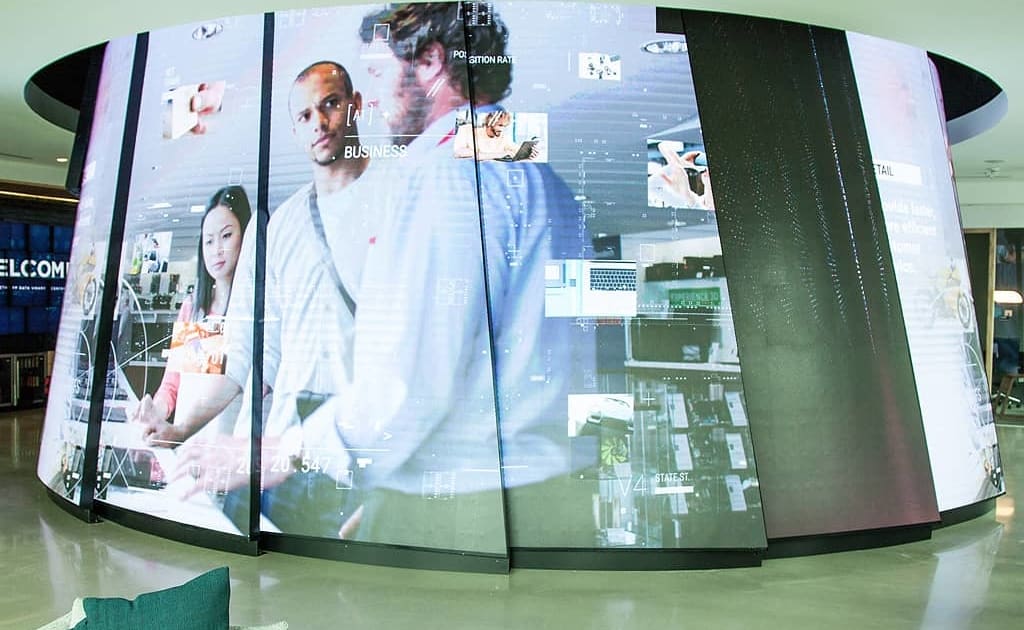
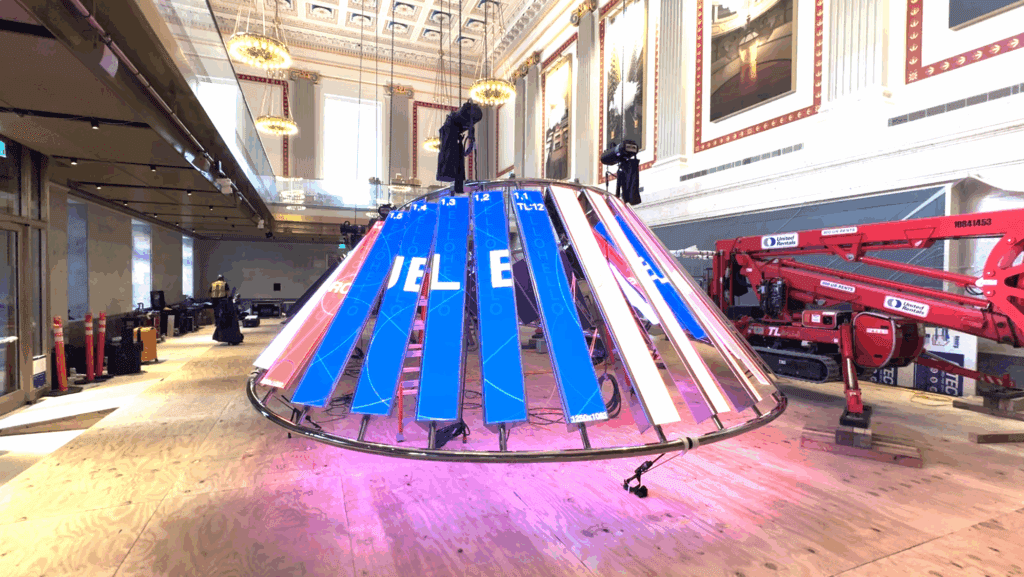
A curved or wraparound lobby wall doesn’t size the same way a flat wall does. PixelFLEX built an 18-fin curved display for NetApp’s headquarters lobby, wrapping the entrance into a single 360-degree focal point. That kind of layout is sized around the architecture itself, the fins and curve radius, rather than a flat width-by-height measurement, and it needs the display designer and the space’s architectural plans involved early.
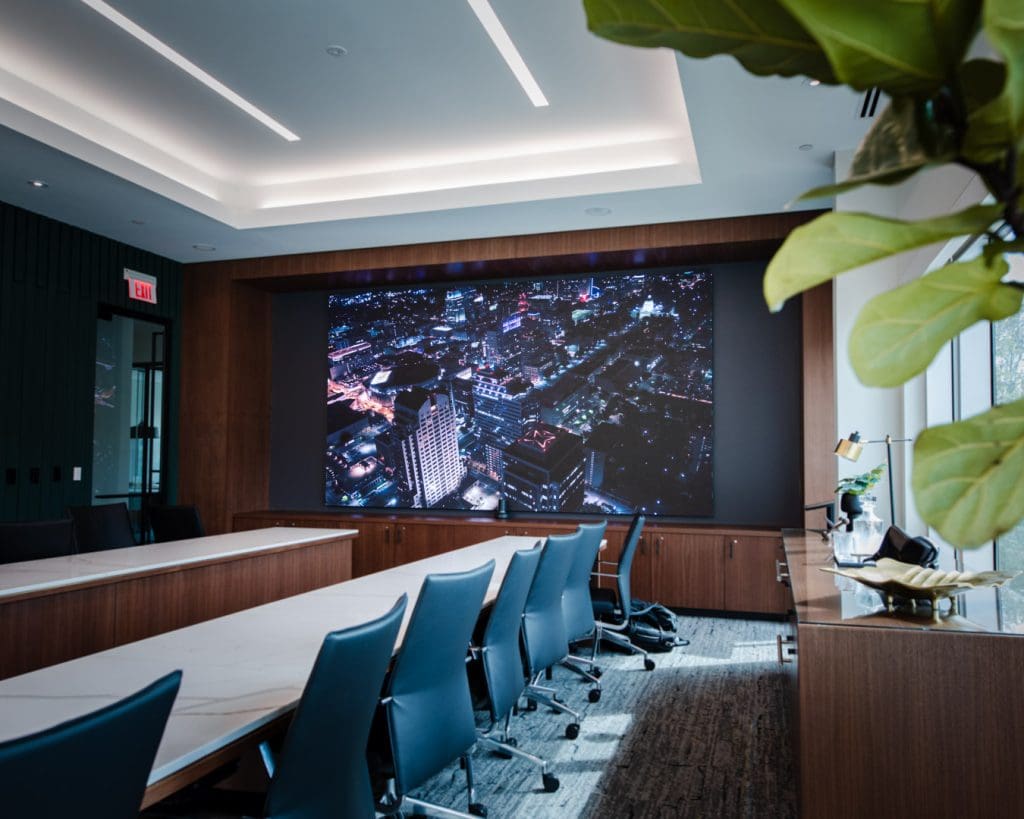
For scale, PixelFLEX installed a FLEXThin LED wall at United Bank’s Morrowcroft office with an LED display size that is roughly 13 feet wide by 7 feet tall for a meeting space, a useful benchmark for a mid-size display viewed at close range.
A lobby wall meant to be seen from across a larger open area typically runs larger than that, since it has more room to work with and a longer viewing distance to design around.
What size LED video wall is right for a small corporate lobby?
A smaller lobby with limited floor space in front of the wall generally works best with a display in the 6 to 10 foot wide range, paired with a finer pixel pitch since viewers will typically stand closer.
Does a lobby LED wall need to match a 16:9 aspect ratio?
Only if it will regularly show full-screen video content. A wall used mainly for branding or data doesn’t need to follow a standard aspect ratio and can be sized to fit the architecture instead.
How far should people stand from a lobby LED video wall?
It depends on pixel pitch, but most corporate lobby walls are designed around a closest viewing distance of 6 to 10 feet. Walls viewed from farther away can run a coarser pitch without any visible loss in quality.
Can an LED video wall fit into an oddly shaped or narrow lobby?
Yes. Curved, wrapped, and multi-surface designs can fit non-standard spaces, but they need to be engineered around the architecture from the start rather than adapted from a standard flat-panel layout after the fact.
Every lobby is a different shape, with different foot traffic and viewing distances. [Contact PixelFLEX] to talk through your space before finalizing a size.
Written by PixelFLEX – Trusted supplier of direct-view LED displays, backed by an in-house team of engineers, technical strategists, and installation specialists with decades of combined experience across the audio/visual industry
A corporate video wall is a direct-view LED display installed inside a business environment, a lobby, boardroom, conference room, briefing center, or trading floor, to communicate branding, data, or content to employees, clients, and visitors. Unlike an outdoor display or a touring video wall, a corporate install is judged on how well it disappears into daily business use: even color from a few feet away, quiet operation, and content that a non-technical facilities or marketing team can update without calling in a technician every time.
This guide covers what corporate LED displays are, where they show up inside a business, and the specs, cost drivers, and installation factors that matter most. It also links out to focused guides on sizing, pixel pitch, cost, content management, and manufacturer selection for anyone speccing a corporate project.
A corporate video wall is any direct-view LED wall purchased and installed for a business’s internal or client-facing space, not a stadium, a retail storefront, or a touring rental rig. That distinction matters because corporate buyers optimize for different things than a venue or event client does. A stadium display is chosen for brightness and durability at distance. A corporate display is chosen for color accuracy up close, low noise, easy content updates, and a design that fits an architectural space rather than dominating it.
Within that category, the most common formats an AV integrator will encounter are:
PixelFLEX has installed corporate LED displays across each of these formats, and the real-world specs tell you more than a spec sheet does.
At NetApp’s revamped Silicon Valley headquarters, the entryway needed to double as a client-facing visualization center. The solution was a curved display built into 18 individual fins to create a seamless 360-degree focal point at the entrance, using FLEXMod panels.
This is a common pattern for corporate lobbies: a curved or wrapped display makes a stronger first impression than a flat wall and photographs better for recruiting and marketing content.
At a worldwide technology leader’s Washington, D.C. headquarters, the client was replacing an outdated LCD monitor wall with a FLEXUltra LED display built with impact-resistant PixelShield, tied into a Crestron control system through a media server so content could shuffle across the wall on demand. Swapping LCD for LED in a high-traffic HQ hallway is one of the most common corporate upgrade paths, and it’s almost always driven by the same complaint: visible seams and inconsistent color on the old LCD array.
At United Bank’s Morrowcroft regional corporate office, the project was a meeting-space upgrade: a FLEXThin display at a 1.5mm pixel pitch, just over 13 feet wide by 7 feet tall, running on a Colorlight sending controller. That’s a good reference point for a boardroom or large conference room, close-viewing distance, fine pixel pitch, and a controller setup an in-house AV team can manage.
At HINO Trucks’ U.S. headquarters, multiple corporate video wall displays (using FLEXTour) were installed as the centerpiece of their Connected Vehicle Department, paired with a real-time dashboard monitoring system so staff could track fleet data as it happened. This is the trading-floor or NOC use case: the display isn’t decoration, it’s a working operational tool.
Pixel pitch should be chosen based on the closest distance someone will realistically stand from the display, not the room’s average distance. Corporate spaces cluster in the 1.2mm to 2.8mm range depending on the use case, boardrooms and close-viewing meeting spaces (like the 1.5mm United Bank install above) sit at the fine end, while lobby and hallway walls viewed from further back can run coarser without any visible loss in quality.
A deeper breakdown of pixel pitch math and recommended distances can be found in this article.
LED outperforms both projectors and LCD video walls on ambient light handling and seamlessness, though projectors and LCD still have a place where budget or extreme resolution flexibility matters more than either of those.
A projector loses contrast in a bright lobby or a conference room with windows, and it needs throw distance the room may not have. An LCD video wall holds color reasonably well but always has visible bezels between panels, which is precisely the complaint that drove the Washington, D.C. headquarters upgrade above from an LCD monitor wall to seamless LED. Direct-view LED avoids both problems: no visible seams, and full brightness and color control regardless of ambient light. The tradeoff is upfront cost per square foot, which is where a clear conversation about total cost of ownership, not just purchase price, matters.
See LED display vs. projector for boardrooms and conference rooms, which wins? for a full head-to-head.
The right content management setup matches the software to whoever is actually going to update the display day to day, usually a facilities or marketing team, not an AV specialist.
Corporate LED content typically runs through a media server or dedicated content management software tied into the building’s existing AV control system. In the D.C. headquarters install above, content ran through a media server connected to a Crestron system, which let staff reshuffle content without needing a technician on-site every time messaging changed. That’s the standard a corporate buyer should expect: scheduled content, easy swaps for new branding or announcements, and integration with whatever control platform (Crestron, AMX, or similar) the building already uses.
A full comparison of content management platforms is covered in: What content management software works best for corporate lobby displays?.
PixelFLEX has installed corporate LED displays across each of these formats, and the real-world specs tell you more than a spec sheet does.
The biggest cost drivers, in rough order of impact, are pixel pitch (finer pitch costs more per square foot), whether the design is flat or curved (curved and wrapped installs like NetApp’s 18-fin entrance need custom substructure fabrication), the control and content system tied into the wall, and the complexity of the install itself (a historic building or a non-standard ceiling adds engineering time before a single panel goes up).
Purchase price is only part of the real cost; warranty coverage, spare-parts planning, and repair turnaround affect total cost of ownership over the life of the wall.
For a detailed cost walkthrough, see How much does a corporate LED video wall cost, installed? (to be posted soon).
Curved, wrapped, or non-standard corporate installs need the mounting substructure engineered specifically for that display, not adapted from a flat frame after the fact, and any project inside a historic or architecturally constrained building needs a structural engineer involved before the display design is finalized.
Corporate lobbies and headquarters buildings are some of the least standardized spaces an integrator will work in. A curved entrance display, like NetApp’s 18-fin wraparound wall, only looks seamless if the substructure is fabricated to tight tolerances up front. A renovated or historic headquarters building may carry load and preservation restrictions that dictate exactly how and where a display can be suspended or mounted. Getting a structural engineer and the display designer talking early avoids the costly rework of retrofitting a design around constraints that were known from day one.
Corporate buyers rarely evaluate LED manufacturers on the display alone. The bigger differentiator is what happens before the design is finalized, during the install itself, and in the years after the wall goes live. Every PixelFLEX installation includes a standard 3-year warranty (with additional years available), and every unit passes a 3-party quality control process before it reaches the customer, standards worth asking about with any manufacturer you’re evaluating.
This full customer journey, what to ask before you buy, what to expect on install day, and how to plan for service after, is covered in the companion pillar article, Working with an LED Display Provider.
Each guide below goes deep on one specific question. Links will go live as each post publishes.
What are corporate video walls used for?
Corporate video walls communicate branding, data, and content to employees, clients, and visitors in lobbies, boardrooms, conference rooms, briefing centers, and trading floors. The use case, client-facing versus operational, drives most of the design decisions that follow.
Is LED better than LCD for a corporate video wall?
For most corporate applications, yes. LED avoids the visible bezels between panels that LCD video walls always have, and it holds color and brightness consistently regardless of ambient light, which is why several corporate upgrades replace an existing LCD wall rather than starting from scratch.
How do I know what size LED display my corporate space needs?
Size depends on viewing distance and pixel pitch together, not square footage alone. A boardroom viewed from a few feet needs a fine pixel pitch at a modest size, while a lobby wall viewed from across a room can run larger at a coarser pitch without losing image quality.
Want help thinking through the structural or mounting side of your next DVLED install? We would love to connect with your team to talk through your specific space before you finalize the design. Schedule a project consultation today.
Written by Briton Roberts, Sales and Product Engineer at PixelFLEX with 7+ years at PixelFLEX across Technical Services, Product Management, and Engineering that has managed 1,000+ installations
Direct-view LED keeps winning ground from projection, but real-world LED display installation problems are where good specs meet the real world of a jobsite. Cabinets that look perfect on paper still have to survive a historic building’s load limits, an interior corner that isn’t quite square, or a control room three floors away. Here are five problems we’ve run into in the field, and what actually solved them.
The solution: When a space wasn’t built with LED in mind, whether that’s a historic building, a suspended install, or a non-standard ceiling, get a structural engineer involved before the display design is finalized, not after.
Not every install goes into a steel-frame commercial box. On our Milken Institute project, we partnered with an AV integrator to suspend an interactive LED sculpture 45 feet above a historic lobby, and the building’s preservation status meant strict load and suspension limits from day one. Every connection method and cable route had to be planned around what the structure could actually bear, not just what the design called for.
The building had recently undergone a careful renovation, and its ornamental floor design couldn’t be marked or damaged during the install. To solve this, the team built a temporary suspended floor directly over the decorative flooring and used specially sized boom lifts to safely reach the 45-foot install height, protecting the finished space while still getting the access the job required.
The solution: Curved installs need the mounting substructure engineered and fabricated specifically for the display, not adapted from a standard flat frame after the fact.
Curved and wrap-around installs look seamless to the client, but getting there means the substructure has to be precise enough that panel-to-panel gaps don’t telegraph through the curve.
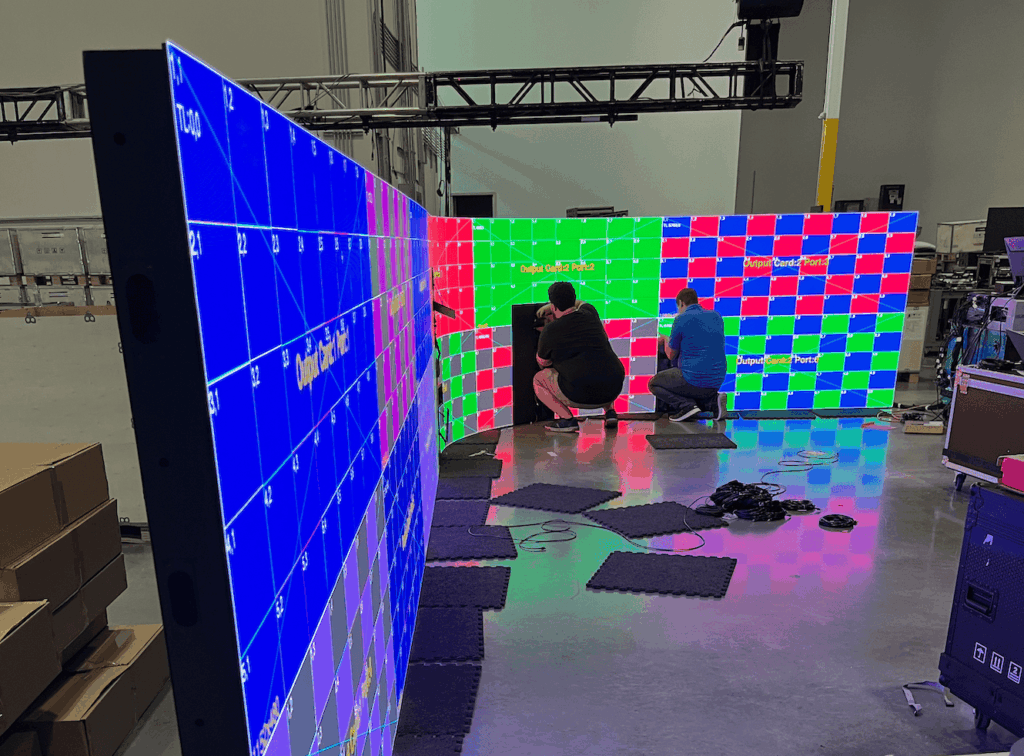
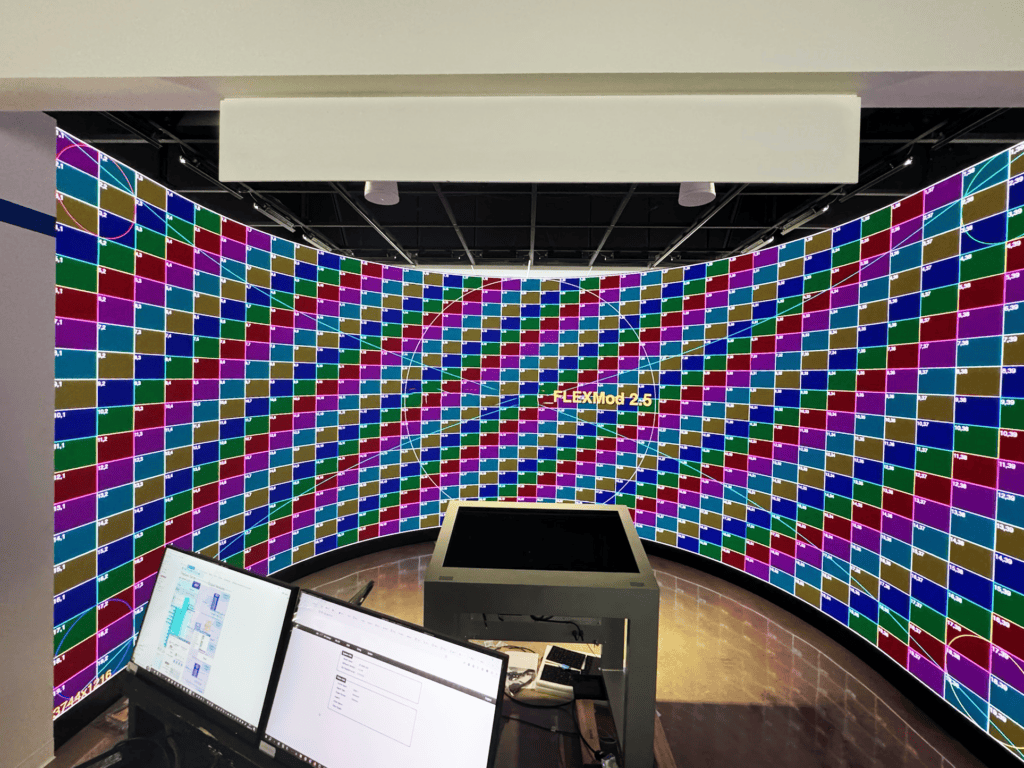
On the NYCFC Stadium Experience Center project, we mounted 490 FLEXMod panels (1.6mm pixel pitch) across two adjacent walls to form one continuous interior corner curve, a job that lives or dies on how tightly the substructure is fabricated and rigged.
We saw a similar challenge at a smaller scale with Origin Bank’s curved LED halo in their Preston Center lobby.
We catch tolerance issues before they become a problem in two ways. Every job includes a signed-off site-survey form specifically to make sure measurements like these don’tget missed. For more complex jobs, like an upcoming Muxwave installation at Dulles International Airport, our project manager goes onsite to work directly with general contractors and architects so minute details get logged correctly from the start. Even with that groundwork, custom conditions still come up, which is where having an experienced install team pays off. If a wall or surface needs it, our team will fabricate a solution onsite, shimming, custom woodworking, whatever it takes to create the right environment for the LED to perform at its best.
The solution: LED handles angled and multi-surface content better than most people expect, wide diode viewing angles mean nearly every off-axis position stays covered, and purpose-built corner solutions can turn a hard seam into a seamless, even more dynamic display.
It’s a common assumption that wrapping LED content around a corner or angled surface means sacrificing image quality at wide viewing angles. In practice, most diode designs offer a 160 to 170 degree viewing angle, which means nearly every off-axis position a viewer might stand in is still covered by the diode itself.
There is some parallax effect and color shift near the extreme edges of that range, but it’s mostly negligible compared to the color shift you’d see from an equivalent LCD display.
Corners are where this gets interesting. Instead of using a mitered edge to force two flat surfaces into a 90-degree corner, our EFP and FLEXStorm VR corner design installs a true-curve module at the seam, creating a seamless transition between both faces of a building’s facade. That same design opens the door to forced-perspective content, where an image can be built to look like it’s physically emerging from the screen toward the viewer, a striking, unique way to make a building facade genuinely exciting to walk past.
The solution: When something goes wrong after an install, adhesive failure, damaged pixels, the instinct is to pull the module and swap in a spare. Often the better fix is repairing it in place, which saves both the spare and the customer’s time.
A few months after completing a Muxwave transparent LED installation, the customer reported that adhesive on some of the modules had started to fail. Around the same time, a trim technician working on a separate part of the install accidentally broke a few pixels off during trim work.
That’s two separate problems on one job, and the easy path would have been pulling modules and burning through spare parts on both.
Instead, the team repaired the adhesive using a clear, UV-cured adhesive applied to key portions of the module to rebuild a strong bond, without removing the module from the glass. Removing a module to work on it actually increases the risk of further adhesive failure down the line, so keeping it in place while repairing it is usually the better call. For the broken pixels, the team relied on fine-diode soldering experience to repair them while the module stayed vertically mounted on the glass, which most installation technicians aren’t equipped to do; soldering LED diodes at that scale takes a different skill set than installation work.
Two issues, solved onsite, with zero spare modules used. A less experienced team would likely have swapped both modules, which costs the customer more in parts, shipping, and downtime than the repair itself.
The solution: A wall that’s still technically working isn’t the same as a wall that was built to last, warranty coverage, quality control, and spare parts planning up front are what determine whether a display ages gracefully or turns into a wholesale replacement project.
We recently began replacing a large LED installation, originally installed only a few years ago by a competitor, for a client. The LED itself is still fundamentally functioning, but the original sale didn’t include spare parts planning.
Now the customer is faced with replacing twelve working displays, not because the technology failed, but because the original provider didn’t account for the long run, they installed it and walked away.
At PixelFLEX, every installation comes standard with a 3-year warranty, with additional warranty years available. Every unit goes through a 3-party quality control process before it reaches the customer, and our team includes staff with decades of soldering experience, meaning even damaged modules can often be repaired rather than replaced. The lesson for integrators: ask any manufacturer directly what their long-term parts and repair plan looks like before you commit a client to a wall.
What is the biggest challenge in installing a direct-view LED display?
Structural and mounting precision are the most common challenges: the space and substructure need to be engineered around the display’s actual load and tolerance requirements, not adapted after the design is finalized.
Can direct-view LED be installed in historic or load-restricted buildings?
Yes, but it requires early coordination with a structural engineer to plan connection methods, cable routing, and weight distribution around the building’s existing constraints.
Why do curved LED installs need custom mounting structures?
A curved or wrap-around LED display needs a substructure fabricated to tight tolerances so panel-to-panel gaps don’t show through the curve; standard flat-frame mounting isn’t built for that precision.
Does LED lose image quality at wide viewing angles or on curved corners?
Not significantly. Most diodes offer a 160 to 170 degree viewing angle, and purpose-built corner modules can create a seamless curve instead of a visible seam, with only negligible color shift at the extreme edges.
What should you check before buying an LED display to avoid costly replacements later?
Confirm the manufacturer’s warranty length, quality control process, and long-term spare-parts and repair plan, displays without that planning often end up needing full replacement years early, even while still technically functioning.
Can a damaged LED module be repaired without replacing it?
Often, yes. Issues like adhesive failure or a few broken pixels can frequently be repaired in place using techniques like UV-cured adhesive and fine-diode soldering, which avoids the cost and downtime of swapping in a spare module.
Want help thinking through the structural or mounting side of your next DVLED install? We would love to connect with your team to talk through your specific space before you finalize the design. Schedule a project consultation today.
You don’t have to travel to Times Square to see giant LED screens. They are now a mainstay in many applications, from educational institutions and corporate environments to entertainment venues and houses of worship. Over recent years, their features, configurations, and affordability have expanded significantly, making them suitable for a wide range of uses. This blog explores the technical aspects, practical benefits, and applications of these displays, offering actionable insights and solutions from PixelFLEX.
The popularity of giant LED screens is a testament to the expanded possibilities these displays now offer. Once limited to basic configurations at high price tags, LED screens have evolved into highly adaptable and sophisticated tools at a variety of price points, suitable for nearly any application. Here are several reasons why expansive LED screens are a go-to solution:
Modern LED technology has made these screens more accessible, durable, and versatile than ever before. Innovations such as transparent LED walls, curved panels, and weatherproof displays have redefined what’s possible.
Transparent LED displays like FLEXClear, for instance, allow businesses to create captivating visuals in windows without obstructing natural light. With a slim design, high brightness, and semi-transparency, these displays are ideal for retail, hospitality, and commercial spaces, providing an eye-catching solution while meeting security and design requirements.
Today’s LED screens cater to applications that were unimaginable even just a decade ago. FLEXMod tiles, for example, enable creative designs with their ability to curve, bend, and attach to almost any surface. These lightweight, high-resolution panels support convex and concave configurations, making them perfect for unconventional installations that demand a unique visual experience.
Outdoor LED technology has also advanced significantly, with products like FLEXStorm leading the way. These outdoor-rated displays can endure harsh weather conditions while delivering brightness levels unmatched by traditional solutions. This makes them ideal for billboards, amenity decks, parks, and building-mounted displays, providing vibrant visuals even in direct sunlight.
For more flexible, portable needs, FLEXCurtain HD Outdoor offers a space-saving design built for life on the road. Capable of handling everything from high-resolution video playback to dramatic effects, these LED curtains are a top choice for rental staging solutions, live performances, and touring events.
As technology has advanced, LED screens have also become more accessible to a wider range of industries and budgets. Modular designs, enhanced durability, and diverse configurations, as with the EF Series, allow users to select solutions tailored to their unique requirements.
With PixelFLEX’s innovations and commitment to quality, customers now have access to products that meet the most demanding creative and functional needs.
When investing in a giant LED screen, understanding the key features is crucial to selecting the right solution for your needs. These are the features to have on your radar:
Pixel pitch, the distance between individual LEDs, determines the resolution of a screen. A smaller pixel pitch results in higher resolution, which is ideal for close-viewing applications like conference rooms or retail stores. For larger, distant-viewing setups like stadiums or outdoor billboards, a wider pixel pitch provides optimal clarity without unnecessary costs.
Measured in nits, brightness levels must align with the screen’s intended environment. Outdoor screens require at least 4,000–10,000 nits to combat sunlight, while indoor displays can perform effectively at 1,000–3,000 nits. High contrast ratios further enrich image depth and visibility.
Modularity allows for customizable shapes and sizes, making LED screens adaptable for unique configurations like curved walls or unconventional layouts. This design also simplifies maintenance, as individual modules can be replaced without disrupting the entire display.
Outdoor LED screens are engineered to withstand extreme temperatures, rain, dust, and UV exposure. Features like weatherproof casings and sealed components ensure uninterrupted performance in challenging conditions.
LED technology minimizes energy consumption compared to traditional display methods. High-quality components ensure long-term savings and environmentally friendly operation.
Giant LED displays are versatile tools that enhance spaces across industries, blending functionality with stunning visuals. Here are some exciting examples.
Giant LED screens transform lobbies into captivating, multifunctional spaces that leave lasting impressions. At the PGA of America, an inset EF Series LED display integrated into a woodgrain veneer creates a dynamic, professional centerpiece that showcases real-time updates and visually stunning content.
Similarly, at Belmont University’s Massey Center, PixelFLEX installed FLEXUltra LED walls and a double-sided FLEXClear screen to enhance the lobby’s aesthetic while maintaining natural light. These installations combine functionality and design, making lobbies engaging, informative, and visually striking.
LED screens redefine stage design by creating immersive and versatile backdrops for events and performances. At Genesys, a massive curved LED wall wrapped the stage, providing a high-resolution canvas for impactful presentations. In worship spaces like Oak Cliff Bible Fellowship, PixelFLEX LED backdrops deliver vibrant visuals that enhance sermons, concerts, and community events. These applications highlight the flexibility of LED screens in adapting to diverse content and audience needs.
Digital signage captures attention with dynamic visuals and unparalleled brightness. At Tru Hotel by Hilton, FLEXClear panels were installed to attract patrons while maintaining transparency and natural light in the lobby. In Manhattan’s 300 Park Avenue, a widescreen LED display transformed an unused rooftop into an entertainment and advertising space, combining modern design with impactful messaging. These installations demonstrate how LED technology elevates branding and communication in both functional and creative ways.
Giant LED screens are compelling because they:
Here’s a quick rundown:
For a more in-depth look, explore our LED Buyer’s Guide.
Installing a large LED display is a detailed process that requires proper planning, precise execution, and expert handling. The installation method depends on the display type, environment, and intended use, with options ranging from wall mounts and hanging configurations to stackable systems.
Modular panels like FLEXUltra or FLEXMod simplify installation with features like magnetic attachments, while outdoor-rated screens such as FLEXStorm require weatherproof housings and specialized mounting for stability.
Ensuring accurate measurements and structural integrity during setup is critical to achieving a seamless, visually stunning result. Working with experienced professionals guarantees that the LED display performs reliably and integrates harmoniously into its intended space.
Managing a giant LED screen requires precise control systems to ensure seamless content delivery and optimal performance. At the heart of this setup are processors and sending controllers, which play critical roles in managing how content is displayed. Processors handle video input, scaling, and formatting, ensuring the visuals are optimized for the screen’s resolution and layout. Sending controllers, on the other hand, transmit processed signals to the LED display, managing synchronization and delivering pixel-perfect content.
Processors and controllers come in various types, tailored to meet specific requirements. High-end processors support advanced features like 4K resolution, HDR content, and multi-screen setups, making them ideal for applications that demand exceptional visual fidelity. Sending controllers can range from compact, standalone units to rack-mounted systems designed for large-scale installations. Choosing the right combination depends on factors like screen size, resolution, and the complexity of the display’s layout.
PixelFLEX offers a range of industry-leading processors and controllers, such as the SU-660 and SU-VX4S, which provide reliable and scalable solutions for managing even the most complex LED displays. These tools ensure your content looks flawless while providing flexibility to adapt to different environments and applications. Properly configured control systems are essential for maximizing the impact and efficiency of your giant LED screen.
PixelFLEX leads the industry with innovative, award-winning LED display solutions. Use our Product Selection Tool to find the perfect screen for your needs, and contact us to create unforgettable visual experiences.

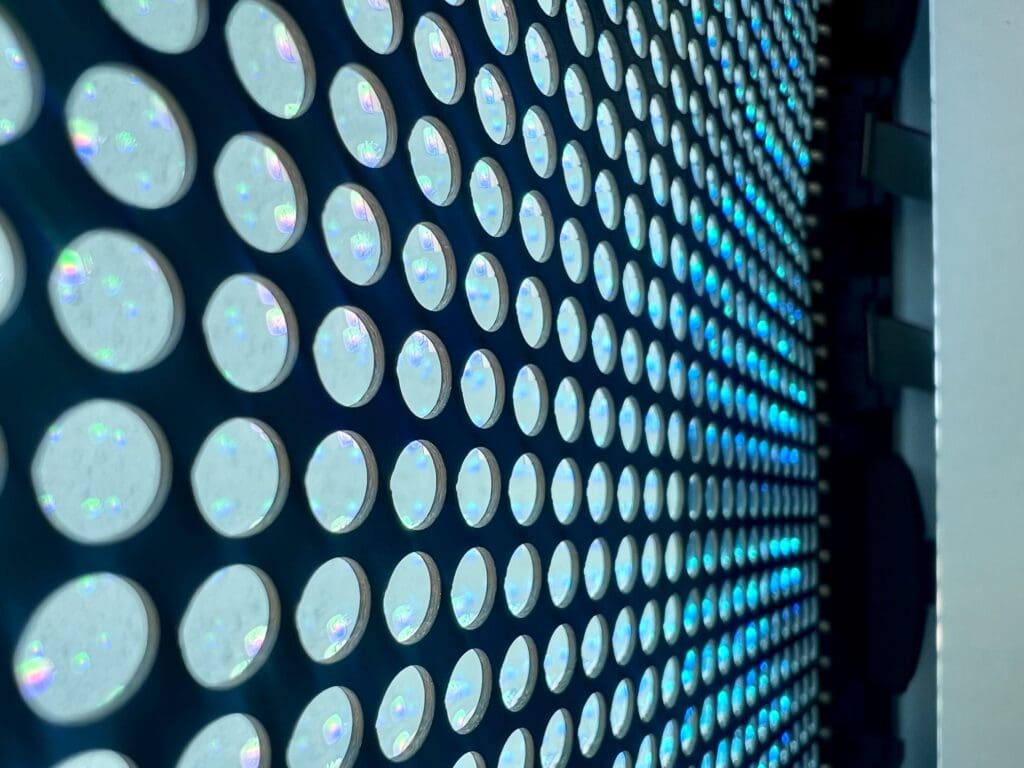
When talking about LEDs for digital signage, pixel pitch is one of the most important criteria to consider. Pixel pitch describes the distance between two pixels in millimeters. That distance defines a lot about the appearance and performance of LED screens. It’s also closely related to resolution.
Pixel pitch isn’t as well-known as resolution, and often they are believed to be the same. This is a big misconception. They are connected but not the same. Typically, the smaller the number the higher the resolution.
Pixel pitch, however, is not related to the size of a screen. Because two screens are the same size doesn’t mean they have the same pixel pitch.
Pixel pitch is essentially the measurement of density. A small pixel pitch indicates a greater density and less space between each pixel. This correlates to improved resolution. The larger the pixel pitch, the less dense. Large pixel pitch displays pale in comparison to their counterparts, but they come at a lower cost.
Digital signage, when executed well, should be driven by vivid imagery with the most optimal viewing distance. The lower the pixel pitch, the more defined the imagery. This is essential if the signage is something a viewer would stand close to; the resolution doesn’t degrade the closer the viewer gets. You wouldn’t want a screen where a viewer can see the black space between pixels, so you’ll want a very small pixel pitch.
When choosing an LED screen for your project, application should drive what kind of pixel pitch you select. Smaller pixel pitch is best for up-close interaction. Whereas, if the screens will be further away or higher up on a wall, a larger pixel pitch will suffice. Higher pixel pitch delivers improved visuals from a further distance. In these situations, increasing the density of pixels will have no effect, so it’s best to save on budget here.
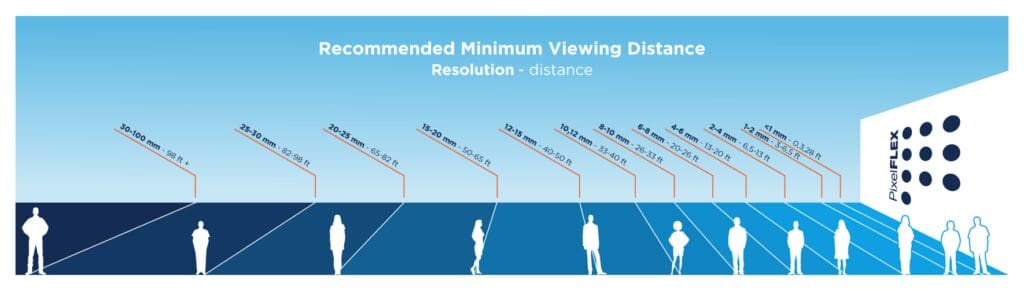
If you aren’t sure exactly what the viewing distance will be in your project, there are some practical guidelines you can follow. Not an exact science but considered an industry standard is that 1mm in pitch equals 8 feet of viewing distance.
The 10x rule is a way to estimate visual acuity distance. Divide the approximate distance in feet that a viewer would be standing from the video wall or single display by 10. This should give you a rough number to work from. Take this as a general recommendation as many other factors may be influencing the decision, like budget and type of content.
Pixel pitch should be a top of the list consideration when designing your LED display solutions. The crux of the decision is based on where it will live and how close viewers will be. PixelFLEX manufactures LED screens in a variety of pixel pitch measurements, ranging from 1.2mm to 16mm, covering the gamut of possible applications.
Browse all of the PixelFLEX LED display solutions here.