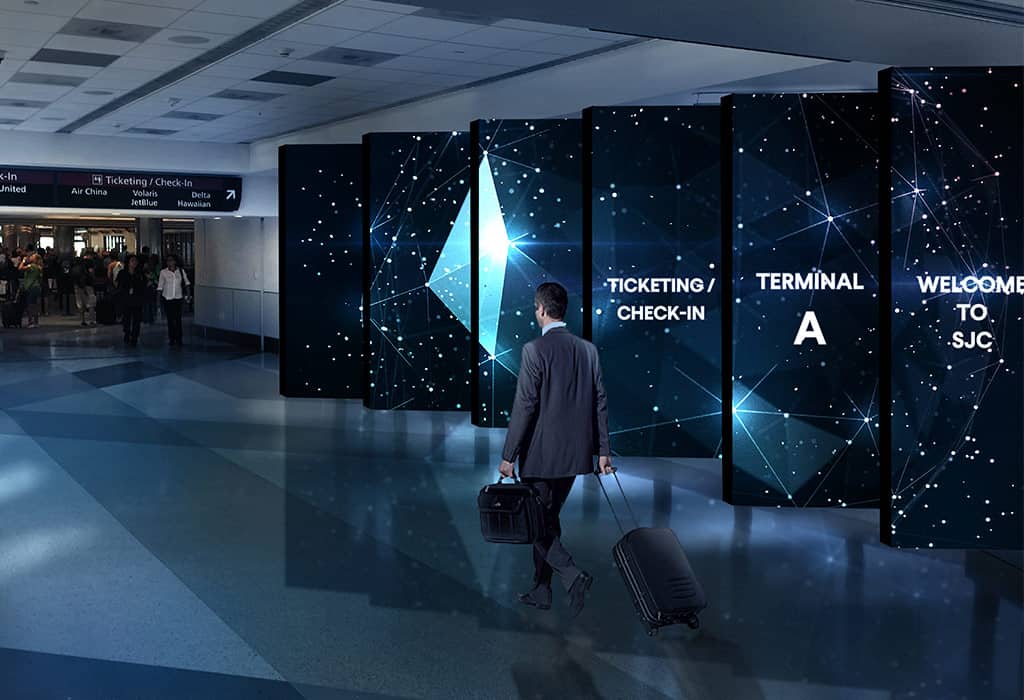
LED displays in transportation settings, such as airports, train stations, and bus terminals, serve as dynamic platforms for real-time information, advertising, and wayfinding, enhancing passenger experience with clear, up-to-date travel details and announcements.
We offer creative solutions at cost-effective rates. You will be able to deliver your sermons more effectively and engage your congregation through one-of-a-kind lyric video walls and house of worship LED displays.
How Does Custom LED Display Manufacturing Work, Start to Finish?
Custom LED display manufacturing starts with the specific space and specs it’s being built for, size, shape, pixel pitch, and viewing environment, then moves through engineering, fabrication, quality testing, and on-site installation. Unlike an off-the-shelf display, every stage is built around the exact space it’s going into rather than a standard product line.
Written by Steven Gingis, Project Manager at PixelFLEX with 8 years in the commercial AV industry, including 5 years in AV project management; background in aviation, with a Bachelor of Applied Science in Aviation from RMIT
Step 1: Requirements and Site Details
The process starts with the specifics: room dimensions, viewing distance, ambient lighting, content plans, and any physical constraints on the space. A curved corner, a historic building, or a non-standard ceiling all get identified here, before any engineering work begins.
Power and data infrastructure getsplanned at this stage too, where the power and data feeds are coming from, and exactly where they need to land at the display.
This determines whether wiring can stay hidden inside the structure or has to run through a surface-mounted route. This can be easy to overlook until it’s too late to change without added cost.
Step 2: Engineering and Design
This is where a flat spec sheet turns into an actual plan for the space. For a curved or wrapped display, the substructure gets engineered and fabricated specifically for that install rather than adapted from a standard flat frame. PixelFLEX designed exactly this kind of custom substructure for NYCFC developed its Stadium Experience Center, where the client needed a seamless 90-degree curve radius that had to be planned around the architecture itself. Anything unusual about the space, load restrictions, historic preservation limits, tight access, gets engineered around at this stage, not discovered mid-install.
Free-standing or sculptural displays add another layer to installation plans: where the power and data whip exits the base, and how it’s routed from there. Left uncoordinated with the architect, that cord can end up running exposed across a finished floor instead of hidden inside the structure. This can be an expensive problem to fix once the floor is installed. Planning cable paths with the architect at this stage is what keeps that whip hidden and the finished look clean.
Step 3: Fabrication and Assembly
Panels and modules get built to the project’s exact specs, size, shape, and pixel pitch, rather than pulled from generic inventory. Curved and multi-surface designs need panel-to-panel tolerances tight enough that the seams don’t show through the curve once everything is mounted.
Step 4: Quality Control Testing
Every unit goes through quality testing before it ships. PixelFLEX runs every display through a 3-part quality control process, checking for consistent color, brightness, and function across every panel before it leaves for the job site.
Step 5: Packaging and Shipping
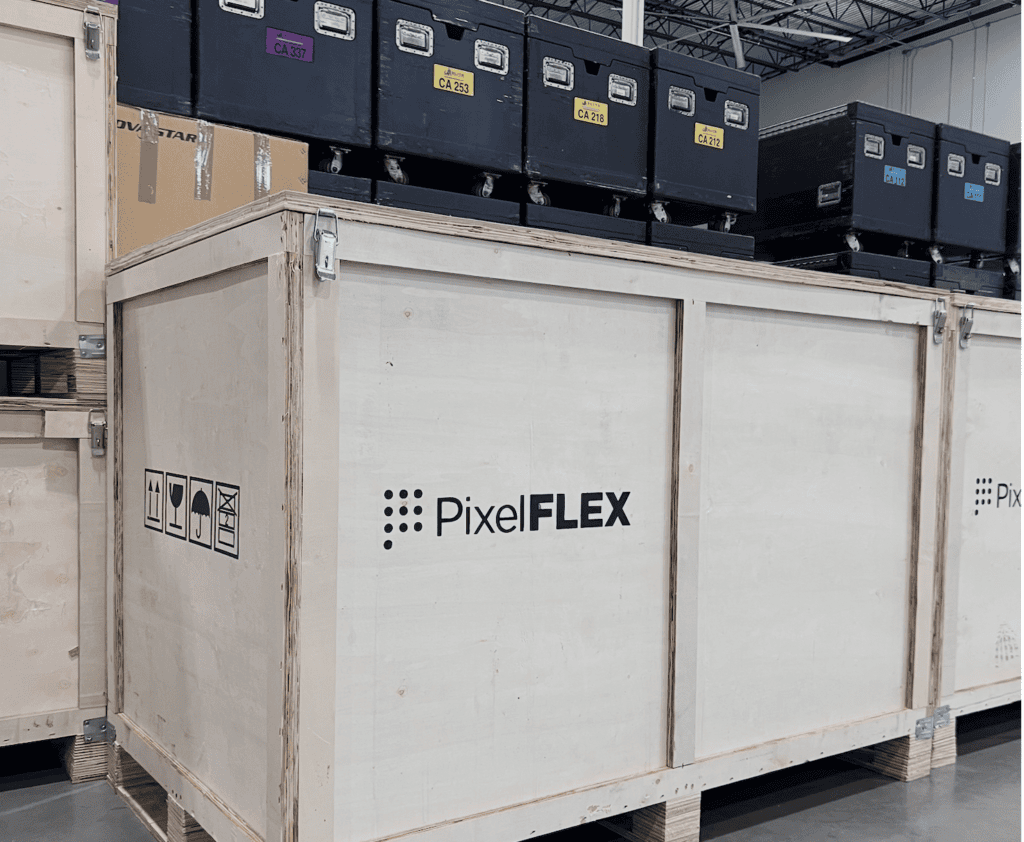
Custom panels get packaged to protect the exact shape and finish they were built with.
Curved or non-standard modules often need custom packaging rather than a standard shipping crate, since a generic box isn’t built to protect a shape that doesn’t match a flat panel.
Step 6: On-Site Installation and Calibration
Installation follows the site survey and structural plan from earlier stages. Once panels are mounted, they get calibrated and color-matched on-site so the display looks even from one panel to the next, the same step every corporate or custom install goes through before the crew leaves.
The installation phase itself is covered in more depth in Working with an LED Display Supplier, During Installation.
Frequently Asked Questions
How long does custom LED display manufacturing take?
Timelines vary based on size, shape, and complexity.
A full breakdown of typical lead times is covered in What’s the typical lead time for a custom LED video wall build?.
What makes custom LED manufacturing different from a standard display?
A standard display comes from existing inventory built to common sizes and shapes. A custom display is engineered and fabricated around a specific space, size, shape, or pixel pitch that a standard product line doesn’t cover.
Does every custom LED project need a structural engineer?
Not every project, but any install into a non-standard space, a curved or suspended design, a historic building, or an unusual mounting surface, should have a structural engineer involved during the engineering and design stage.
Can curved or oddly shaped LED displays be manufactured to match any space?
In most cases, yes, but it takes a substructure engineered specifically for that shape rather than an adapted flat-panel design. The more unusual the space, the earlier that engineering work needs to start.
Not Sure What Size Fits Your Space?
Every custom build starts with the specifics of your space. Connect with our team to talk through what’s possible for yours.
Written by PixelFLEX – Trusted supplier of direct-view LED displays, backed by an in-house team of engineers, technical strategists, and installation specialists with decades of combined experience across the audio/visual industry
A corporate video wall is a direct-view LED display installed inside a business environment, a lobby, boardroom, conference room, briefing center, or trading floor, to communicate branding, data, or content to employees, clients, and visitors. Unlike an outdoor display or a touring video wall, a corporate install is judged on how well it disappears into daily business use: even color from a few feet away, quiet operation, and content that a non-technical facilities or marketing team can update without calling in a technician every time.
This guide covers what corporate LED displays are, where they show up inside a business, and the specs, cost drivers, and installation factors that matter most. It also links out to focused guides on sizing, pixel pitch, cost, content management, and manufacturer selection for anyone speccing a corporate project.
What Counts as a Corporate Video Wall?
A corporate video wall is any direct-view LED wall purchased and installed for a business’s internal or client-facing space, not a stadium, a retail storefront, or a touring rental rig. That distinction matters because corporate buyers optimize for different things than a venue or event client does. A stadium display is chosen for brightness and durability at distance. A corporate display is chosen for color accuracy up close, low noise, easy content updates, and a design that fits an architectural space rather than dominating it.
Within that category, the most common formats an AV integrator will encounter are:
Lobby and reception video walls, often the first thing a visitor sees when they walk in
Boardroom and conference room displays, sized for close viewing during presentations and video calls
Executive briefing centers and customer experience centers, built to impress clients touring a facility
Trading floors, network operations centers (NOCs), and data-visualization walls
Brand or story walls in common areas, hallways, and headquarters atriums
Where Corporate Video Wall Displays Show Up in the Field
PixelFLEX has installed corporate LED displays across each of these formats, and the real-world specs tell you more than a spec sheet does.
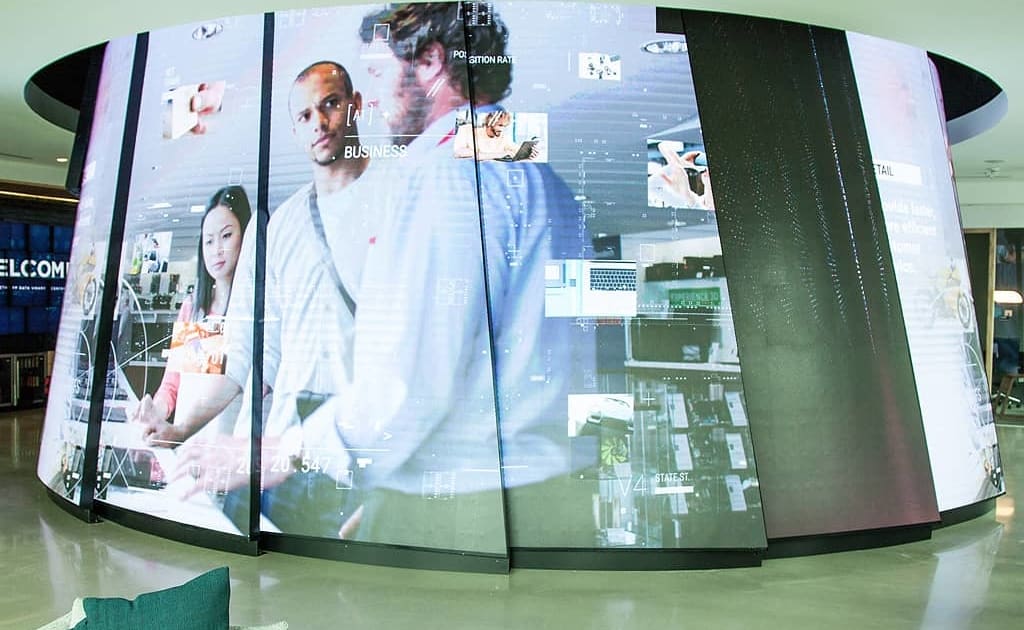
At NetApp’s revamped Silicon Valley headquarters, the entryway needed to double as a client-facing visualization center. The solution was a curved display built into 18 individual fins to create a seamless 360-degree focal point at the entrance, using FLEXMod panels.
This is a common pattern for corporate lobbies: a curved or wrapped display makes a stronger first impression than a flat wall and photographs better for recruiting and marketing content.
At a worldwide technology leader’s Washington, D.C. headquarters, the client was replacing an outdated LCD monitor wall with a FLEXUltra LED display built with impact-resistant PixelShield, tied into a Crestron control system through a media server so content could shuffle across the wall on demand. Swapping LCD for LED in a high-traffic HQ hallway is one of the most common corporate upgrade paths, and it’s almost always driven by the same complaint: visible seams and inconsistent color on the old LCD array.
At United Bank’s Morrowcroft regional corporate office, the project was a meeting-space upgrade: a FLEXThin display at a 1.5mm pixel pitch, just over 13 feet wide by 7 feet tall, running on a Colorlight sending controller. That’s a good reference point for a boardroom or large conference room, close-viewing distance, fine pixel pitch, and a controller setup an in-house AV team can manage.
At HINO Trucks’ U.S. headquarters, multiple corporate video wall displays (using FLEXTour) were installed as the centerpiece of their Connected Vehicle Department, paired with a real-time dashboard monitoring system so staff could track fleet data as it happened. This is the trading-floor or NOC use case: the display isn’t decoration, it’s a working operational tool.
Pixel Pitch and Viewing Distance for Corporate Spaces
Pixel pitch should be chosen based on the closest distance someone will realistically stand from the display, not the room’s average distance. Corporate spaces cluster in the 1.2mm to 2.8mm range depending on the use case, boardrooms and close-viewing meeting spaces (like the 1.5mm United Bank install above) sit at the fine end, while lobby and hallway walls viewed from further back can run coarser without any visible loss in quality.
A deeper breakdown of pixel pitch math and recommended distances can be found in this article.
LED vs. Projector, LED vs. LCD for Corporate Environments
LED outperforms both projectors and LCD video walls on ambient light handling and seamlessness, though projectors and LCD still have a place where budget or extreme resolution flexibility matters more than either of those.
A projector loses contrast in a bright lobby or a conference room with windows, and it needs throw distance the room may not have. An LCD video wall holds color reasonably well but always has visible bezels between panels, which is precisely the complaint that drove the Washington, D.C. headquarters upgrade above from an LCD monitor wall to seamless LED. Direct-view LED avoids both problems: no visible seams, and full brightness and color control regardless of ambient light. The tradeoff is upfront cost per square foot, which is where a clear conversation about total cost of ownership, not just purchase price, matters.
Content and Control: What Runs on a Corporate Video Wall
The right content management setup matches the software to whoever is actually going to update the display day to day, usually a facilities or marketing team, not an AV specialist.
Corporate LED content typically runs through a media server or dedicated content management software tied into the building’s existing AV control system. In the D.C. headquarters install above, content ran through a media server connected to a Crestron system, which let staff reshuffle content without needing a technician on-site every time messaging changed. That’s the standard a corporate buyer should expect: scheduled content, easy swaps for new branding or announcements, and integration with whatever control platform (Crestron, AMX, or similar) the building already uses.
PixelFLEX has installed corporate LED displays across each of these formats, and the real-world specs tell you more than a spec sheet does.
The biggest cost drivers, in rough order of impact, are pixel pitch (finer pitch costs more per square foot), whether the design is flat or curved (curved and wrapped installs like NetApp’s 18-fin entrance need custom substructure fabrication), the control and content system tied into the wall, and the complexity of the install itself (a historic building or a non-standard ceiling adds engineering time before a single panel goes up).
Purchase price is only part of the real cost; warranty coverage, spare-parts planning, and repair turnaround affect total cost of ownership over the life of the wall.
For a detailed cost walkthrough, see How much does a corporate LED video wall cost, installed? (to be posted soon).
Structural and Design Considerations for Corporate Installs
Curved, wrapped, or non-standard corporate installs need the mounting substructure engineered specifically for that display, not adapted from a flat frame after the fact, and any project inside a historic or architecturally constrained building needs a structural engineer involved before the display design is finalized.
Corporate lobbies and headquarters buildings are some of the least standardized spaces an integrator will work in. A curved entrance display, like NetApp’s 18-fin wraparound wall, only looks seamless if the substructure is fabricated to tight tolerances up front. A renovated or historic headquarters building may carry load and preservation restrictions that dictate exactly how and where a display can be suspended or mounted. Getting a structural engineer and the display designer talking early avoids the costly rework of retrofitting a design around constraints that were known from day one.
What to Expect Working With a Manufacturer, Before, During, and After Install
Corporate buyers rarely evaluate LED manufacturers on the display alone. The bigger differentiator is what happens before the design is finalized, during the install itself, and in the years after the wall goes live. Every PixelFLEX installation includes a standard 3-year warranty (with additional years available), and every unit passes a 3-party quality control process before it reaches the customer, standards worth asking about with any manufacturer you’re evaluating.
This full customer journey, what to ask before you buy, what to expect on install day, and how to plan for service after, is covered in the companion pillar article, Working with an LED Display Provider.
Explore the Corporate LED Display Series
Each guide below goes deep on one specific question. Links will go live as each post publishes.
Corporate video walls communicate branding, data, and content to employees, clients, and visitors in lobbies, boardrooms, conference rooms, briefing centers, and trading floors. The use case, client-facing versus operational, drives most of the design decisions that follow.
Is LED better than LCD for a corporate video wall?
For most corporate applications, yes. LED avoids the visible bezels between panels that LCD video walls always have, and it holds color and brightness consistently regardless of ambient light, which is why several corporate upgrades replace an existing LCD wall rather than starting from scratch.
How do I know what size LED display my corporate space needs?
Size depends on viewing distance and pixel pitch together, not square footage alone. A boardroom viewed from a few feet needs a fine pixel pitch at a modest size, while a lobby wall viewed from across a room can run larger at a coarser pitch without losing image quality.
Want help thinking through the structural or mounting side of your next DVLED install? We would love to connect with your team to talk through your specific space before you finalize the design.Schedule a project consultation today.
The Future of Urban Landscapes
In the age of digital transformation, smart cities are at the forefront of combining technology with urban development to create more efficient, sustainable, and livable environments. A key player in this urban revolution is the integration of outdoor LED displays. These solutions are not just tools for advertising and information dissemination but instrumental in enhancing the aesthetics, functionality, and smart connectivity of urban spaces. This blog delves into how outdoor LED displays are intertwining with smart city technologies to reshape our urban landscapes.
Role in Smart Urban Development
Outdoor LED displays, with their dynamic and interactive capabilities, are increasingly becoming a pivotal element in smart urban planning. They offer a versatile platform for communication that enriches the urban environment with real-time information and interactive feed features.
Growing areas need to be equipped to support the mobile and information-seeking lifestyle that urban cultures now demand. With 70% of the world’s population expected to live in urban areas by 2050, critical information needs to be accessible. Digital technology invigorates participation within these communities.
Forward-thinking city leadership recognizes the value of incorporating outdoor LED solutions into their infrastructures. According to a study by Grand View Research, spending on smart city initiatives is expected to reach USD 463.9 billion by 2027, expanding at a CAGR of 24.7%. LED displays are a significant part of this investment, serving multiple purposes from traffic management to public safety announcements, and environmental monitoring.
A futuristic illustration of a smart city with LED display integrated technology. Image generated through Open AI.
Enhancing Functionality and Utility
The integration of LED displays with Internet of Things (IoT) technology marks a leap in how information is disseminated and used in urban spaces. These displays can now gather and exhibit data from various sources, including traffic sensors, environmental monitors, and public transit systems, offering a centralized platform for city-wide communication.
In Singapore, LED displays connected to IoT devices provide real-time environmental data, such as air quality indices, to the public. Smart LED streetlights in San Diego, equipped with sensors, gather and display data on traffic, parking, and air quality, contributing to better urban management.
A survey by Smart Cities Dive reported that 65% of city planners see digital signage, including LED displays, as a critical component for future smart cities. They recognize the advantages that these solutions provide to citizens as digital data resources.
According to Intel, the IoT market is expected to grow to over 200 billion connected devices by 2030, including sensors and devices integrated with LED displays.
Transforming Cityscapes
Outdoor LED displays have the power to transform cityscapes, both functionally but aesthetically. They offer a modern and dynamic face to city centers, public squares, and streets, enhancing the visual appeal of these spaces while providing valuable information.
Some examples include New York’s Times Square where the LED displays have become a national icon through a mirage of vibrant visual displays. These significantly contribute to the area’s visual identity. Additionally, the integration of artistic content on LED displays in Melbourne’s Federation Square offers a blend of technology and art, enhancing public spaces’ cultural value.
Community Integration
A study by the Urban Land Institute revealed that digital infrastructure, including outdoor LED displays, plays a key role in enhancing the attractiveness and livability of urban areas. Research by Deloitte suggests that smart city solutions, including digital displays, can improve citizens’ satisfaction by 10-30%.
One of the many communal screens that PixelFLEX has installed is located at Nineteen01, an upscale, high-end living rental property located in Southern California. This amenity display used PixelFLEX’s FLEXStorm product to provide a way for residents to stay connected, entertained, and informed.
Since this installation, many other properties have requested creative outdoor dvLED displays to be installed in their community areas and amenity decks to enhance their spaces.
Conclusion
The integration of outdoor LED displays with smart city technologies is not just a trend but a significant stride towards future urban landscapes. By enhancing connectivity, functionality, and aesthetics, these displays are reshaping the way we interact with and experience our cities. As we move forward, the role of LED displays in smart urban development is set to become more integral, promising smarter, more efficient, and more engaging urban environments.
If your organization is interested to learn how LED displays can add value to your community, or if you have a project you would like to discuss, reach out to a member or our team. We are excited to bring your LED vision to life.
In the ever-evolving world of display technologies, two terms often come up: LCD and dvLED. These technologies, while sometimes used interchangeably, have distinct characteristics, each with its own set of advantages and disadvantages. In this blog, we will dive into the differences between LCD and dvLED displays, exploring the technology behind each and weighing their pros and cons.
In partnership with Fluid Sound, PixelFLEX added a captivating dvLED display in Sharp Healthcare‘s lobby area.
LCD Technology: A Detailed Look
LCD technology, which stands for Liquid Crystal Display, relies on a unique method of manipulating light to display images. It uses a backlight, typically made of fluorescent or dvLED lights, that shines through a layer of liquid crystals. These crystals can be aligned or twisted to allow varying levels of light to pass through them. This light then passes through a series of color filters to produce the final image that appears on the screen. The ability of the liquid crystals to block or allow light through in response to an electric current is what makes the display possible.
Advantages of LCD
Ideal for Smaller Areas
LCDs are great for smaller spaces where viewing distance is not an issue. The panels are typically very thin and have a flat design. This makes them space-efficient and ideal for small rooms where larger displays might not fit well.
Resolution
Pixel pitch resolution becomes less critical when viewing up close with LCD screens because, at a close distance, individual pixels become less noticeable to the human eye.
LCD screens typically have high pixel densities, meaning there are numerous pixels per inch, resulting in finer details and smoother images. When viewed up close, the small pixel gaps between individual pixels blend together, creating a cohesive and visually pleasing image.
Software and OS Compatibility
LCD screens often come with software, a mini player, and are usually compatible with Android, Tizen, or WebOS operating systems.
The software enables content management, easy updates, and customization, while the mini player and OS compatibility ensure seamless operation, app support, and a user-friendly interface, making LCD screens versatile and user focused.
Cost-Effectiveness
Generally, LCDs are a lower-cost solution than dvLED for close-up viewing needs. This is beneficial when the screen size can be minimized, and bezels are not an issue for stacked displays.
Durability
LCD screens are less likely to get damaged when touched. They are also a durable option due to their solid-state design, which lacks moving parts that can be prone to wear and tear, increasing longevity.
Warranty
Standard 3-year warranty.
A collection of LCD screens cluster together to create a larger image. Patrons can see the bezels of the screens, which take away from the overall visual appeal.
Disadvantages of LCD
Size and Weight:
LCD screens often feature heavy glass and large cabinet designs, making them bulky. This becomes a significant issue for large displays (86” to 100”), which are difficult to fit in elevators for installation.
Installation Challenges
Due to their weight, installing LCD video walls can be complex. They require stronger mounting supports, which leads to higher costs.
Inconsistencies in Video Walls
When used in video walls, each screen can have different color and brightness calibration, leading to inconsistencies in content viewing.
Limited Lifespan
Typically, LCDs are rated at 50,000 hours to half-life. Over time, LCD screens experience a slow and gradual loss of vibrancy in colors, referred to as “color fading,” which occurs at a gradual pace, maintaining acceptable display quality for an extended period.
Shipping and Installation Risks
LCD screens can be prone to cracking during shipping and installation due to their relatively thin and fragile glass panels. Handling errors, impacts, or rough transportation can lead to structural damage, resulting in cracks or breakages, highlighting the need for careful packaging and installation procedures.
Bezels
A bezel is the frame or border surrounding the active display area of an LCD screen.
LCDs have noticeable bezels between screens, which can be distracting, because these bezels create physical gaps between multiple screens when they are arranged in multi-monitor setups, interrupting the seamless flow of content and causing visual discontinuity, which can be distracting to viewers.
Image Quality and Viewing Angles
Compared to newer technologies like that of dvLED or Quantum Dot displays, LCDs generally have lower contrast ratios and limited viewing angles, which can affect the visibility and vibrancy of the content displayed.
Energy Efficiency
While LCDs with dvLED backlights are more energy-efficient than their older CCFL counterparts, they still lag behind newer display technologies in terms of energy consumption and heat generation.
Response Time and Refresh Rates
LCDs typically have slower response times and lower refresh rates compared to newer technologies, which can result in motion blur and less smooth rendering of fast-moving images – a downside for dynamic advertising or interactive applications.
dv LED Technology: A Modern Approach
dvLED, or Direct View LED, represents a more modern approach. dvLED technology, which stands for Light Emitting Diode is fundamentally different from LCD.
In dvLED displays, each pixel is its own tiny LED light. These LEDs emit light directly when an electric current passes through them, eliminating the need for a backlight and liquid crystals used in LCDs. This direct light-emitting process allows for higher brightness, more vivid colors, and greater energy efficiency.
Curved LED panels that be be created with products, such as PixelFLEX’s FLEXMod, can provide an elevated viewer experience at venues and events.
Advantages of dvLED
Ease of Installation:
dvLED displays are easier and less costly to install than LCDs because they are typically lighter and thinner, reducing the structural requirements and installation complexity. Additionally, dvLED displays can be custom-sized and easily assembled into large screens, minimizing installation time and labor costs.
Longevity
These solutions are rated at 100,000 hours of operation, which is significantly longer than LCDs, ensuring extended lifespan and durability. Moreover, dvLED displays maintain their vibrancy over time, as they do not suffer from color fading, providing consistent and vibrant visuals throughout their extended lifespan.
Outdoor Visibility
Brighter solutions are possible with dvLED displays that are most suitable for outdoor environments. This is due to their ability to emit high-intensity light, even in direct sunlight. This brightness ensures visibility and readability in challenging outdoor conditions, making dvLED displays an ideal choice for outdoor advertising, signage, and displays.
Ease of Repair
Compared to LCD screens, their repair is often easier and less expensive because they typically have modular components that can be replaced individually, reducing the cost of fixing specific issues without replacing the entire screen. Additionally, their solid-state design is less prone to damage from impacts or physical stress, leading to fewer repair incidents in the first place.
In addition to the product warranty that comes with PixelFLEX products, is vital to have a good technical team in place if adjustments are needed. PixelFLEX’s in-house technical team repairs dvLED panels in their Mt. Juliet, Tennesse location. This benefit allows eliminates the need to send your dvLED overseas for simple repairs.
Design Flexibility
dvLEDs are flexible in creating unique designs for an increased viewer experience. They can be designed to fit various shapes and sizes, making them versatile for different commercial applications. They can be used in everything from large outdoor billboards to intricate, custom-shaped displays for unique installations.
Shipping and Installation
Screen cracking during shipping and installation is less common with these screens due to their thinner and more robust design, which is less susceptible to structural damage from handling or transportation.
Durability
Product durability and resistance to physical stress reduce the likelihood of cracks compared to other screen technologies. Some products, such as FLEXMod, are created with flexible structures that offer even more resiliency.
PixelShield is part of the design that adds industry leading impact and scratch resistance to most of PixelFLEX’s dvLED panels.
Aesthetic Appeal
A bezel-free design offers an aesthetic appeal that creates a seamless viewing experience, eliminating distractions caused by borders and enhancing the visual impact of content.
This design choice provides a modern and sleek appearance, allowing for a more immersive and captivating viewing experience for various display solutions.
Color and Brightness Calibration
dvLED screens are easy to calibrate for consistent color and brightness due to their precise control over individual pixels and the ability to adjust brightness levels accurately. This calibration capability ensures that dvLED screens can maintain uniform and accurate colors and brightness levels over time, making them suitable for applications where color accuracy is crucial.
Screen color calibration is like tuning a TV or computer monitor to make sure the colors you see on the screen match the real colors as closely as possible. It ensures that what you see on your screen looks the same as it would in real life, making your pictures, videos, and designs look accurate and true to how they should appear.
Reduced Glare
These screens typically have lower glare levels because they use emissive technology, meaning each pixel emits its own light. This reduces reflections from external sources. This feature results in better visibility and reduced glare in various lighting conditions, making them a preferred choice in environments where glare is a concern.
Refresh Rates
dvLED displays offer higher refresh rates that result in smoother visuals.
Screen refresh rates can be described in simplistic terms as the number of screen blinks or updates what you see every second.
Up close of the LED pixels in the PixelFLEX FLEXUltra screen that was installed in Sharp Healthcare’s lobby area.
The higher the refresh rate, the smoother and more fluid the movement looks on your screen, which is important for activities like gaming and watching videos because it makes them look better and feel more responsive.
Image Quality
Higher contrast ratios and a broader color gamut are possible, resulting in more vibrant and true-to-life images. This makes them ideal for businesses that require high-quality visual presentations, such as in advertising or entertainment.
Viewing Angles
dvLEDs provide superior viewing angles compared to LCDs, ensuring that the displayed content is visible and clear from different perspectives, which is essential in public spaces and retail environments.
Energy Efficiency and Longevity
dvLEDs require less energy to generate brightness compared to older technologies like fluorescent bulbs. They can also vary their brightness more quickly and precisely, consuming less power when displaying dark or dim scenes. This energy efficiency not only reduces electricity bills but also contributes to environmental sustainability by lowering overall power consumption.
Seamless Video Walls
Unlike LCDs, dvLED screens can create seamless video walls without distracting bezels, providing a continuous and immersive visual experience.
Performance in Bright Conditions
LEDs are known for their brightness, making them suitable for outdoor applications or brightly lit indoor environments where clear visibility is crucial.
Disadvantages of dvLED
Pixel Pitch
The closer the audience, the finer the pixel pitch needs to be, which can significantly increase costs for smaller pitches.
Additional Equipment
While dvLED screens offer many advantages, the complexity of the installation and the specific application may require a sperate controller to ensure proper functionality, safety, and optimal performance.
Wait Time
Most dvLED companies do not carry immediate stock due to the amount of configurations, there is a longer installation quality window due to the shipping time
Conclusion
When choosing between LCD and dvLED displays, consider the specific needs of your environment and audience. LCDs offer a cost-effective solution for smaller, close-up viewing areas, with a robust build and comprehensive software support. On the other hand, dvLED shines in longevity, design flexibility, and outdoor suitability, making it a go-to choice for modern, dynamic display requirements. Understanding these differences will help you make an informed decision that best suits your display needs.
Have a project that you would like to discuss. Reach out to our team and let us know how we can help. Contact Us >
 (800) 930-7954


 House of Worship
 Transportation
 Trade shows led display
 retail
 Creative Led Solutions
 Hospitality
 Higher Education
 Corporate LED