(800) 930-7954
Communicate worship schedules and sermon messages while engaging your congregation with visual technology.
View More
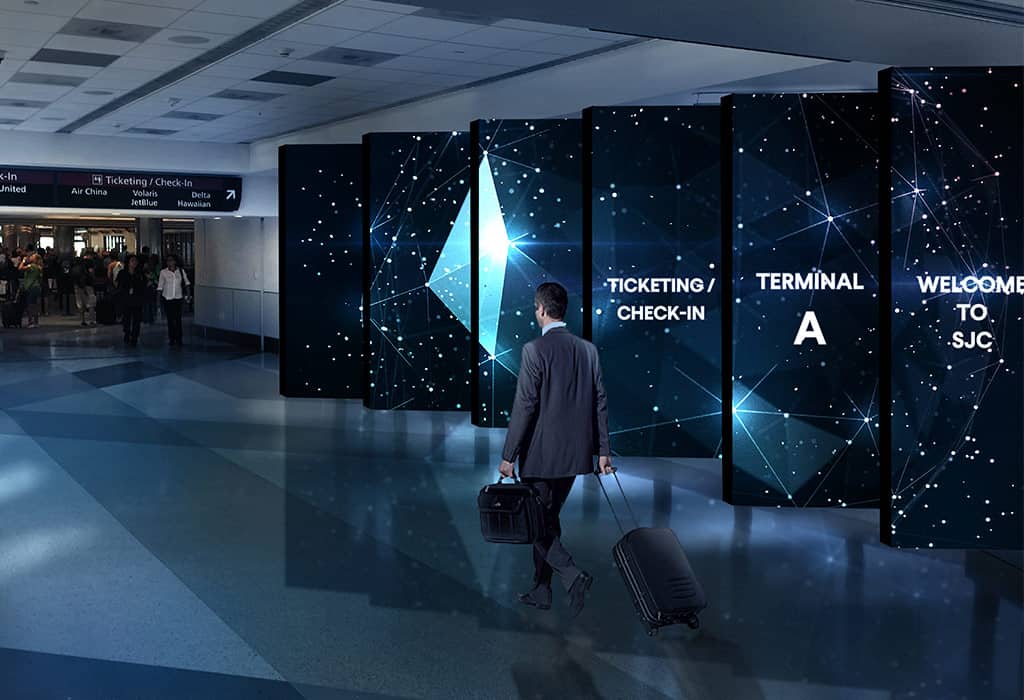
LED displays in transportation settings, such as airports, train stations, and bus terminals, serve as dynamic platforms for real-time information, advertising, and wayfinding, enhancing passenger experience with clear, up-to-date travel details and announcements.
View More
Differentiate yourself from the competition by incorporating a digital experience in your booth with our trade show LED displays.
View More
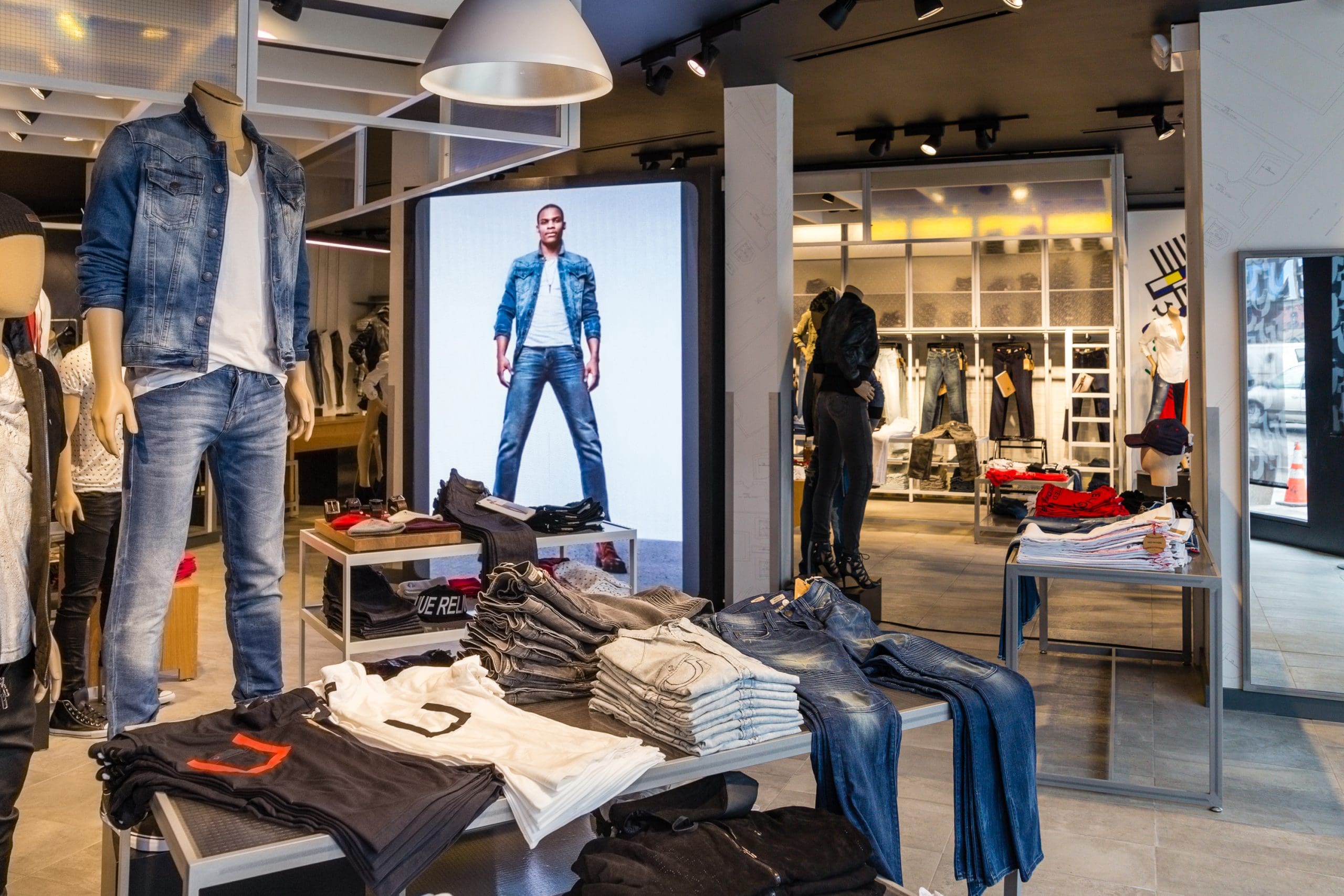
Communicate your brand’s message, stand out from the competition and engage your target market with LED digital signage.
View More
We offer creative solutions at cost-effective rates. You will be able to deliver your sermons more effectively and engage your congregation through one-of-a-kind lyric video walls and house of worship LED displays.
View More
Enhance ambiance, display interactive directories and wayfinding displays, and promote amenities and events to elevate the guest experience.
View More
Incorporate digital displays to enhance your students’ learning experience and market to prospective students and donors.
View More
Transform your corporate spaces with PixelFLEX LED video displays. Enhance communication, elevate branding, and create dynamic environments.
View MoreWritten by Briton Roberts, PixelFLEX with 7+ years at PixelFLEX across Technical Services, Product Management, and Engineering; 12+ years of soldering experience; has managed 1,000+ installations
The right content management system for digital signage in a corporate lobby is the one that matches who will actually be updating content day to day, and that integrates cleanly with whatever control system the building already runs. For most corporate lobbies, that means either a dedicated LED control platform paired with a scheduling tool similar to what is offered by AV integration partners like Adrenaline, or a full AV integration built around a media server and a system like Crestron or AMX.
A facilities or marketing team updating branding and announcements needs software built for that job: simple scheduling, drag-and-drop content swaps, and no command-line or programming knowledge required. An IT or AV team managing a more complex wall, live data feeds, multiple zones, synced video across large panels, can handle a more technical platform. Picking a content management system before knowing who’s going to run it day to day is one of the most common mistakes corporate buyers make.
A dedicated LED sending controller, paired with straightforward scheduling software, is often enough for a lobby wall that mainly loops branding, welcome messages, or a rotating content playlist. PixelFLEX used a Colorlight sending controller for United Bank’s Morrowcroft office display, a setup well suited to a team that needs reliable playback without heavy customization.
A full AV integration makes more sense when the display needs to tie into the building’s broader control system, room scheduling, digital signage across multiple screens, or on-demand content changes triggered by other building systems. PixelFLEX built exactly that setup for a technology leader’s Washington, D.C. headquarters wall: a media server connected to a Crestron system, letting staff reshuffle content without a technician on-site every time messaging changed.
Static branding and rotating graphics need far less from a content management system than live data dashboards, video walls with synced playback across multiple panels, or content that pulls from an external feed. Confirm the software supports the specific formats and refresh rates the lobby actually needs before committing to a platform, since not every CMS handles high-resolution video or real-time data equally well.
A lobby display is often the first thing a visitor or client sees, so a blank or frozen wall reflects poorly at the worst possible moment. Look for a platform with a failover option, whether that’s a backup player, cached content that plays automatically if a connection drops, or simple manual override. Uptime matters as much as scheduling features for a display in a high-visibility space.
What software runs content on a corporate LED lobby display?
Most corporate lobby walls run on either a dedicated LED sending controller with scheduling software, or a full AV integration using a media server tied into a system like Crestron or AMX. Which fits depends on how complex the content needs to be and who’s managing it.
Can a marketing team update lobby display content without IT help?
Yes, if the platform is chosen with that in mind. Simple scheduling and drag-and-drop content tools like Adrenaline’s CMS system let non-technical staff update branding and messaging without a technician on-site.
What happens if a lobby display loses its content feed?
A well-planned setup includes a failover option, such as cached content or a backup player, so the wall doesn’t go blank. This should be confirmed before choosing a platform, not after an outage happens.
Does a lobby display need the same control software as the rest of the building?
Not necessarily. A standalone wall with its own dedicated controller works fine on its own. Integration with the building’s existing AV control system is only needed if the display needs to sync with other systems or be managed from the same interface as the rest of the building.
Content needs vary a lot between a simple branding wall and a fully integrated lobby experience. Connect with our team to talk through what’s possible for yours.
Custom LED display manufacturing starts with the specific space and specs it’s being built for, size, shape, pixel pitch, and viewing environment, then moves through engineering, fabrication, quality testing, and on-site installation. Unlike an off-the-shelf display, every stage is built around the exact space it’s going into rather than a standard product line.
Written by Steven Gingis, Project Manager at PixelFLEX with 8 years in the commercial AV industry, including 5 years in AV project management; background in aviation, with a Bachelor of Applied Science in Aviation from RMIT
The process starts with the specifics: room dimensions, viewing distance, ambient lighting, content plans, and any physical constraints on the space. A curved corner, a historic building, or a non-standard ceiling all get identified here, before any engineering work begins.
Power and data infrastructure gets planned at this stage too, where the power and data feeds are coming from, and exactly where they need to land at the display.
This determines whether wiring can stay hidden inside the structure or has to run through a surface-mounted route. This can be easy to overlook until it’s too late to change without added cost.
This is where a flat spec sheet turns into an actual plan for the space. For a curved or wrapped display, the substructure gets engineered and fabricated specifically for that install rather than adapted from a standard flat frame. PixelFLEX designed exactly this kind of custom substructure for NYCFC developed its Stadium Experience Center, where the client needed a seamless 90-degree curve radius that had to be planned around the architecture itself. Anything unusual about the space, load restrictions, historic preservation limits, tight access, gets engineered around at this stage, not discovered mid-install.
Free-standing or sculptural displays add another layer to installation plans: where the power and data whip exits the base, and how it’s routed from there. Left uncoordinated with the architect, that cord can end up running exposed across a finished floor instead of hidden inside the structure. This can be an expensive problem to fix once the floor is installed. Planning cable paths with the architect at this stage is what keeps that whip hidden and the finished look clean.
Panels and modules get built to the project’s exact specs, size, shape, and pixel pitch, rather than pulled from generic inventory. Curved and multi-surface designs need panel-to-panel tolerances tight enough that the seams don’t show through the curve once everything is mounted.
Every unit goes through quality testing before it ships. PixelFLEX runs every display through a 3-part quality control process, checking for consistent color, brightness, and function across every panel before it leaves for the job site.
Custom panels get packaged to protect the exact shape and finish they were built with.
Curved or non-standard modules often need custom packaging rather than a standard shipping crate, since a generic box isn’t built to protect a shape that doesn’t match a flat panel.
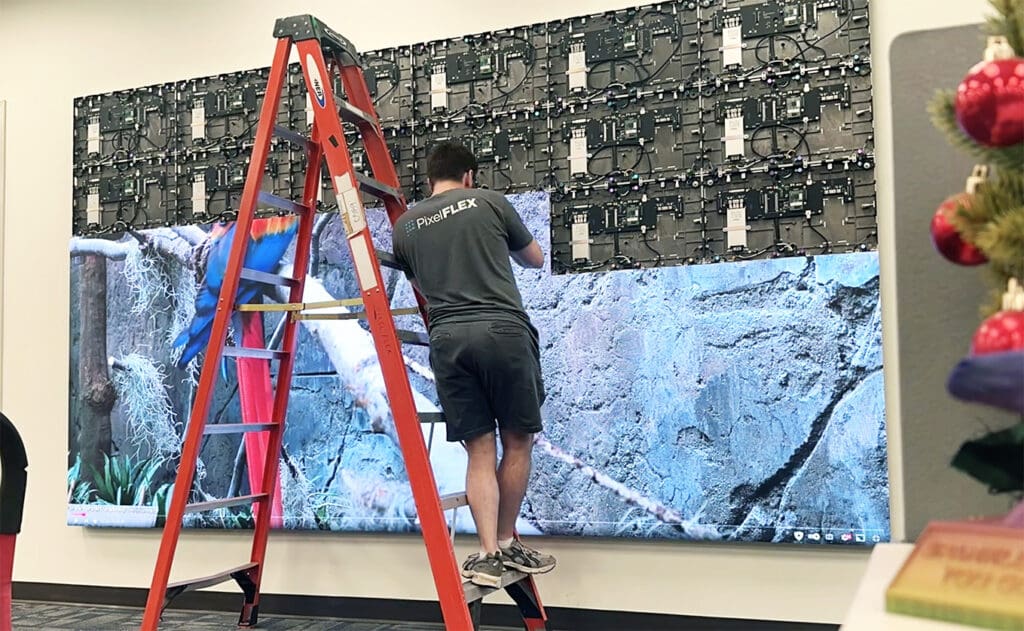
Installation follows the site survey and structural plan from earlier stages. Once panels are mounted, they get calibrated and color-matched on-site so the display looks even from one panel to the next, the same step every corporate or custom install goes through before the crew leaves.
The installation phase itself is covered in more depth in Working with an LED Display Supplier, During Installation.
How long does custom LED display manufacturing take?
Timelines vary based on size, shape, and complexity.
A full breakdown of typical lead times is covered in What’s the typical lead time for a custom LED video wall build?.
What makes custom LED manufacturing different from a standard display?
A standard display comes from existing inventory built to common sizes and shapes. A custom display is engineered and fabricated around a specific space, size, shape, or pixel pitch that a standard product line doesn’t cover.
Does every custom LED project need a structural engineer?
Not every project, but any install into a non-standard space, a curved or suspended design, a historic building, or an unusual mounting surface, should have a structural engineer involved during the engineering and design stage.
Can curved or oddly shaped LED displays be manufactured to match any space?
In most cases, yes, but it takes a substructure engineered specifically for that shape rather than an adapted flat-panel design. The more unusual the space, the earlier that engineering work needs to start.
Every custom build starts with the specifics of your space. Connect with our team to talk through what’s possible for yours.
LED is much better suited for most boardrooms and conference rooms, especially any space with windows or bright overhead lighting. A projector can still make sense for a lower-budget or rarely used rooms, but it gives up brightness and image clarity in the typical lighting conditions of most offices.
The categories below cover where each technology actually wins, and where the right answer depends on the room.
Written by Briton Roberts, PixelFLEX with 7+ years at PixelFLEX across Technical Services, Product Management, and Engineering; 12+ years of soldering experience; has managed 1,000+ installations
LED holds full brightness and color regardless of the light in the room. A projector loses contrast fast under overhead lighting or daylight through windows, which is exactly the environment of most conference rooms. Dimming the room or closing blinds for every meeting isn’t a realistic ask, and it’s the single biggest reason boardrooms move away from projection.
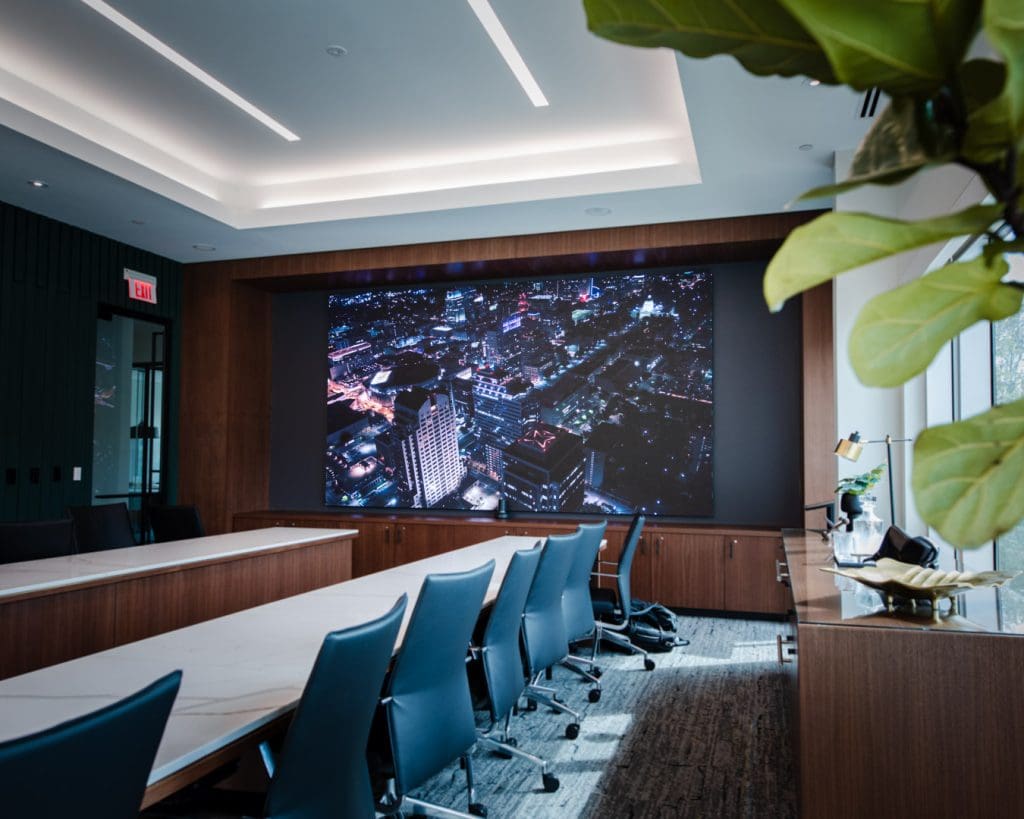
A direct-view LED wall has no visible seams and holds sharp, even color edge to edge. A projector’s image quality depends heavily on the screen it’s projected onto, and image sharpness drops if the throw distance or angle isn’t close to ideal for the room’s layout. PixelFLEX installed a 1.5mm pixel pitch FLEXThin display at United Bank’s Morrowcroft office specifically for this kind of close-viewing meeting space, where sharp, even color at a few feet away mattered more than raw screen size.
A projector needs enough throw distance behind or above the audience and a dedicated screen, which isn’t always available in a smaller conference room. An LED wall mounts flat against a wall and doesn’t need throw distance at all, making it the easier fit for tighter rooms. A very large room with plenty of throw distance and a tight budget is where a projector still has a real space advantage.
A projector bulb dims over time and eventually needs replacing, an ongoing cost most buyers don’t budget for upfront.
LED doesn’t have a bulb to replace and holds its brightness far longer over the life of the display.
Over a multi-year period, LED’s maintenance costs are typically lower even though the upfront investment is higher.
A projector is almost always cheaper to buy and install than an LED wall of the same size. For a rarely used room, a tight budget, or a temporary space, that upfront savings can outweigh LED’s other advantages. The math changes for a boardroom used daily, where LED’s lower long-term maintenance cost and better everyday image quality usually justify the higher initial price.
For a boardroom or conference room used regularly, especially one with windows or overhead lighting that can’t be fully controlled, LED is the better fit in nearly every case when deciding between a led wall vs projector. A projector still makes sense for an infrequently used space, a very large room with generous throw distance, or a tight budget where the upfront cost difference matters more than day-to-day image quality.
Is an LED display more expensive than a projector for a conference room?
Yes, upfront. LED costs more to purchase and install than a projector of similar size, but it typically costs less to maintain over several years since there’s no bulb to replace and brightness holds up longer.
Does ambient light affect projector image quality?
Yes, significantly. Overhead lighting or daylight through windows washes out contrast on a projected image. LED holds full brightness and color regardless of ambient light in the room.
How long do LED displays last compared to projectors?
LED displays hold their brightness for years longer than a projector bulb, which dims steadily and eventually needs replacing. LED has no bulb to replace at all.
Is a projector ever still the right choice for a conference room?
Yes. A large room with generous throw distance, an infrequently used space, or a tight budget are all situations where a projector’s lower upfront cost can outweigh LED’s advantages.
The right answer depends on room size, lighting, and how often the space gets used. Connect with our team to talk through what’s possible for yours.
The right LED display size for a corporate lobby depends on the room’s proportions, the furthest realistic viewing distance, and the content the wall needs to show, not a single formula or a target square footage. Most lobby installations end up between 8 and 20 feet wide, but the room decides that number, not a chart or a rule of thumb.
Written by Isaiah Snyder, Operations Manager at PixelFLEX with 10+ years in the AV industry, 8+ years focused on DVLED specifically; started in surface-mounted diode repair before moving into engineering LED hardware and software
Measure the wall space available first, then the floor space in front of it. A lobby with 30 feet of open floor in front of the wall supports a much larger LED display size than one where people pass within a few feet on their way to an elevator bank.
That measurement, more than any preset size chart, is what determines the right LED display size for a given space.
Viewing distance and pixel pitch determine how large a wall can be before the image looks soft, or how small it needs to be before individual pixels become visible up close. A wall sized for a lobby where people walk within 5 feet needs a finer pixel pitch than one viewed from across a 40-foot atrium, and that pitch decision affects what size makes sense in the first place.
The specific pitch math is covered in, What’s the ideal pixel pitch for a corporate lobby display viewed from 6-10 feet?.
A wall built to show full-screen video needs a standard aspect ratio like 16:9, and its dimensions should follow that ratio to avoid black bars or cropped content. A wall built mainly for branding, data dashboards, or a rotating mix of content has more flexibility, since a wider or taller shape can still work well if the content is designed for it. Decide what’s actually going to run on the wall before finalizing dimensions.
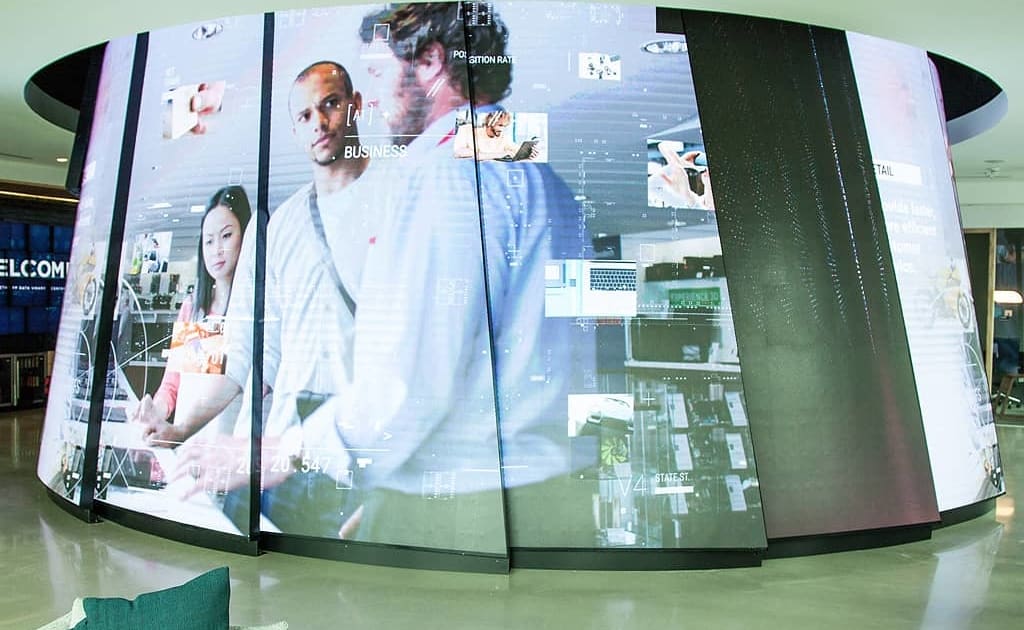
A curved or wraparound lobby wall doesn’t size the same way a flat wall does. PixelFLEX built an 18-fin curved display for NetApp’s headquarters lobby, wrapping the entrance into a single 360-degree focal point. That kind of layout is sized around the architecture itself, the fins and curve radius, rather than a flat width-by-height measurement, and it needs the display designer and the space’s architectural plans involved early.
For scale, PixelFLEX installed a FLEXThin LED wall at United Bank’s Morrowcroft office with an LED display size that is roughly 13 feet wide by 7 feet tall for a meeting space, a useful benchmark for a mid-size display viewed at close range.
A lobby wall meant to be seen from across a larger open area typically runs larger than that, since it has more room to work with and a longer viewing distance to design around.
What size LED video wall is right for a small corporate lobby?
A smaller lobby with limited floor space in front of the wall generally works best with a display in the 6 to 10 foot wide range, paired with a finer pixel pitch since viewers will typically stand closer.
Does a lobby LED wall need to match a 16:9 aspect ratio?
Only if it will regularly show full-screen video content. A wall used mainly for branding or data doesn’t need to follow a standard aspect ratio and can be sized to fit the architecture instead.
How far should people stand from a lobby LED video wall?
It depends on pixel pitch, but most corporate lobby walls are designed around a closest viewing distance of 6 to 10 feet. Walls viewed from farther away can run a coarser pitch without any visible loss in quality.
Can an LED video wall fit into an oddly shaped or narrow lobby?
Yes. Curved, wrapped, and multi-surface designs can fit non-standard spaces, but they need to be engineered around the architecture from the start rather than adapted from a standard flat-panel layout after the fact.
Every lobby is a different shape, with different foot traffic and viewing distances. [Contact PixelFLEX] to talk through your space before finalizing a size.
Written by PixelFLEX – Trusted supplier of direct-view LED displays, backed by an in-house team of engineers, technical strategists, and installation specialists with decades of combined experience across the audio/visual industry
A corporate video wall is a direct-view LED display installed inside a business environment, a lobby, boardroom, conference room, briefing center, or trading floor, to communicate branding, data, or content to employees, clients, and visitors. Unlike an outdoor display or a touring video wall, a corporate install is judged on how well it disappears into daily business use: even color from a few feet away, quiet operation, and content that a non-technical facilities or marketing team can update without calling in a technician every time.
This guide covers what corporate LED displays are, where they show up inside a business, and the specs, cost drivers, and installation factors that matter most. It also links out to focused guides on sizing, pixel pitch, cost, content management, and manufacturer selection for anyone speccing a corporate project.
A corporate video wall is any direct-view LED wall purchased and installed for a business’s internal or client-facing space, not a stadium, a retail storefront, or a touring rental rig. That distinction matters because corporate buyers optimize for different things than a venue or event client does. A stadium display is chosen for brightness and durability at distance. A corporate display is chosen for color accuracy up close, low noise, easy content updates, and a design that fits an architectural space rather than dominating it.
Within that category, the most common formats an AV integrator will encounter are:
PixelFLEX has installed corporate LED displays across each of these formats, and the real-world specs tell you more than a spec sheet does.
At NetApp’s revamped Silicon Valley headquarters, the entryway needed to double as a client-facing visualization center. The solution was a curved display built into 18 individual fins to create a seamless 360-degree focal point at the entrance, using FLEXMod panels.
This is a common pattern for corporate lobbies: a curved or wrapped display makes a stronger first impression than a flat wall and photographs better for recruiting and marketing content.
At a worldwide technology leader’s Washington, D.C. headquarters, the client was replacing an outdated LCD monitor wall with a FLEXUltra LED display built with impact-resistant PixelShield, tied into a Crestron control system through a media server so content could shuffle across the wall on demand. Swapping LCD for LED in a high-traffic HQ hallway is one of the most common corporate upgrade paths, and it’s almost always driven by the same complaint: visible seams and inconsistent color on the old LCD array.
At United Bank’s Morrowcroft regional corporate office, the project was a meeting-space upgrade: a FLEXThin display at a 1.5mm pixel pitch, just over 13 feet wide by 7 feet tall, running on a Colorlight sending controller. That’s a good reference point for a boardroom or large conference room, close-viewing distance, fine pixel pitch, and a controller setup an in-house AV team can manage.
At HINO Trucks’ U.S. headquarters, multiple corporate video wall displays (using FLEXTour) were installed as the centerpiece of their Connected Vehicle Department, paired with a real-time dashboard monitoring system so staff could track fleet data as it happened. This is the trading-floor or NOC use case: the display isn’t decoration, it’s a working operational tool.
Pixel pitch should be chosen based on the closest distance someone will realistically stand from the display, not the room’s average distance. Corporate spaces cluster in the 1.2mm to 2.8mm range depending on the use case, boardrooms and close-viewing meeting spaces (like the 1.5mm United Bank install above) sit at the fine end, while lobby and hallway walls viewed from further back can run coarser without any visible loss in quality.
A deeper breakdown of pixel pitch math and recommended distances can be found in this article.
LED outperforms both projectors and LCD video walls on ambient light handling and seamlessness, though projectors and LCD still have a place where budget or extreme resolution flexibility matters more than either of those.
A projector loses contrast in a bright lobby or a conference room with windows, and it needs throw distance the room may not have. An LCD video wall holds color reasonably well but always has visible bezels between panels, which is precisely the complaint that drove the Washington, D.C. headquarters upgrade above from an LCD monitor wall to seamless LED. Direct-view LED avoids both problems: no visible seams, and full brightness and color control regardless of ambient light. The tradeoff is upfront cost per square foot, which is where a clear conversation about total cost of ownership, not just purchase price, matters.
See LED display vs. projector for boardrooms and conference rooms, which wins? for a full head-to-head.
The right content management setup matches the software to whoever is actually going to update the display day to day, usually a facilities or marketing team, not an AV specialist.
Corporate LED content typically runs through a media server or dedicated content management software tied into the building’s existing AV control system. In the D.C. headquarters install above, content ran through a media server connected to a Crestron system, which let staff reshuffle content without needing a technician on-site every time messaging changed. That’s the standard a corporate buyer should expect: scheduled content, easy swaps for new branding or announcements, and integration with whatever control platform (Crestron, AMX, or similar) the building already uses.
A full comparison of content management platforms is covered in: What content management software works best for corporate lobby displays?.
PixelFLEX has installed corporate LED displays across each of these formats, and the real-world specs tell you more than a spec sheet does.
The biggest cost drivers, in rough order of impact, are pixel pitch (finer pitch costs more per square foot), whether the design is flat or curved (curved and wrapped installs like NetApp’s 18-fin entrance need custom substructure fabrication), the control and content system tied into the wall, and the complexity of the install itself (a historic building or a non-standard ceiling adds engineering time before a single panel goes up).
Purchase price is only part of the real cost; warranty coverage, spare-parts planning, and repair turnaround affect total cost of ownership over the life of the wall.
For a detailed cost walkthrough, see How much does a corporate LED video wall cost, installed? (to be posted soon).
Curved, wrapped, or non-standard corporate installs need the mounting substructure engineered specifically for that display, not adapted from a flat frame after the fact, and any project inside a historic or architecturally constrained building needs a structural engineer involved before the display design is finalized.
Corporate lobbies and headquarters buildings are some of the least standardized spaces an integrator will work in. A curved entrance display, like NetApp’s 18-fin wraparound wall, only looks seamless if the substructure is fabricated to tight tolerances up front. A renovated or historic headquarters building may carry load and preservation restrictions that dictate exactly how and where a display can be suspended or mounted. Getting a structural engineer and the display designer talking early avoids the costly rework of retrofitting a design around constraints that were known from day one.
Corporate buyers rarely evaluate LED manufacturers on the display alone. The bigger differentiator is what happens before the design is finalized, during the install itself, and in the years after the wall goes live. Every PixelFLEX installation includes a standard 3-year warranty (with additional years available), and every unit passes a 3-party quality control process before it reaches the customer, standards worth asking about with any manufacturer you’re evaluating.
This full customer journey, what to ask before you buy, what to expect on install day, and how to plan for service after, is covered in the companion pillar article, Working with an LED Display Provider.
Each guide below goes deep on one specific question. Links will go live as each post publishes.
What are corporate video walls used for?
Corporate video walls communicate branding, data, and content to employees, clients, and visitors in lobbies, boardrooms, conference rooms, briefing centers, and trading floors. The use case, client-facing versus operational, drives most of the design decisions that follow.
Is LED better than LCD for a corporate video wall?
For most corporate applications, yes. LED avoids the visible bezels between panels that LCD video walls always have, and it holds color and brightness consistently regardless of ambient light, which is why several corporate upgrades replace an existing LCD wall rather than starting from scratch.
How do I know what size LED display my corporate space needs?
Size depends on viewing distance and pixel pitch together, not square footage alone. A boardroom viewed from a few feet needs a fine pixel pitch at a modest size, while a lobby wall viewed from across a room can run larger at a coarser pitch without losing image quality.
Want help thinking through the structural or mounting side of your next DVLED install? We would love to connect with your team to talk through your specific space before you finalize the design. Schedule a project consultation today.